 Coachigo
During a session
How to use suggested loads in Coachigo
A weight in gray in the empty fields, based on the last session: how Coachigo picks it, how to use it and how to turn it off.
During a session, Coachigo shows a weight in gray in the weight fields that are still empty, based on the client’s last session with that exercise. No more scrolling back to see what they lifted last time. It’s free and on by default.
Read the suggestion
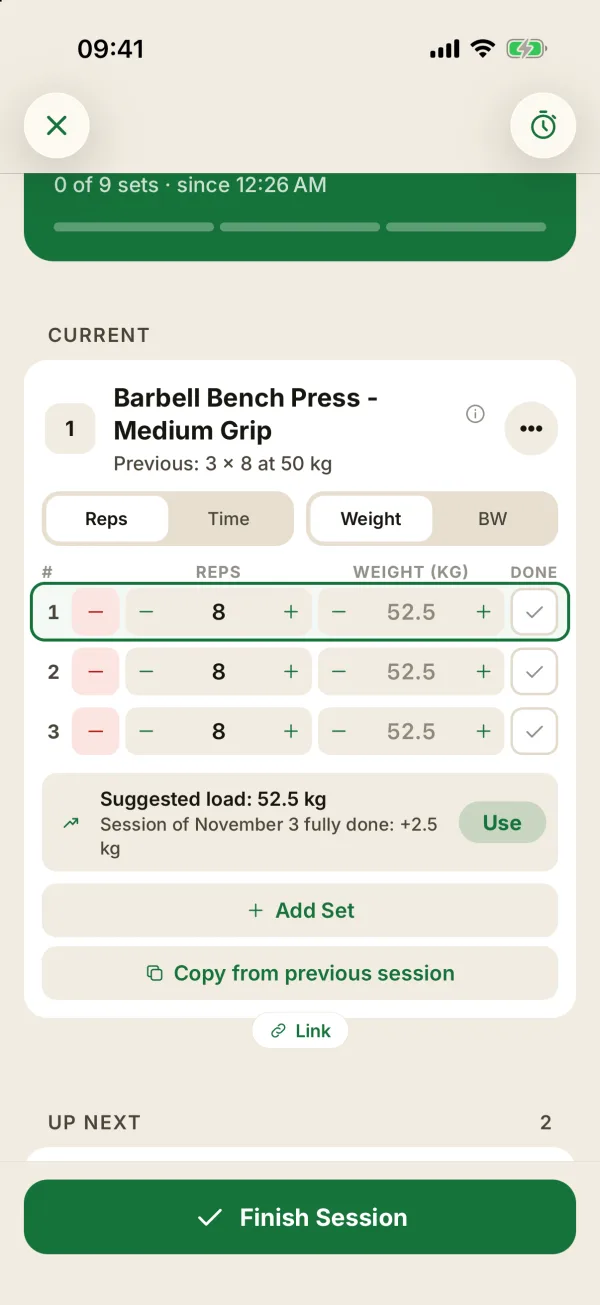
The gray number is only a hint: it isn’t saved in the session. Under the sets, a line reads Suggested load: 135 lb and gives the reason:
- Session of October 29 fully done: +5 lb: the load goes up one step;
- Same load as on October 29: it stays put.
You stay in charge. Whatever you type replaces the gray number in that field, and a suggestion never overwrites a value you’ve entered.
Use the suggestion
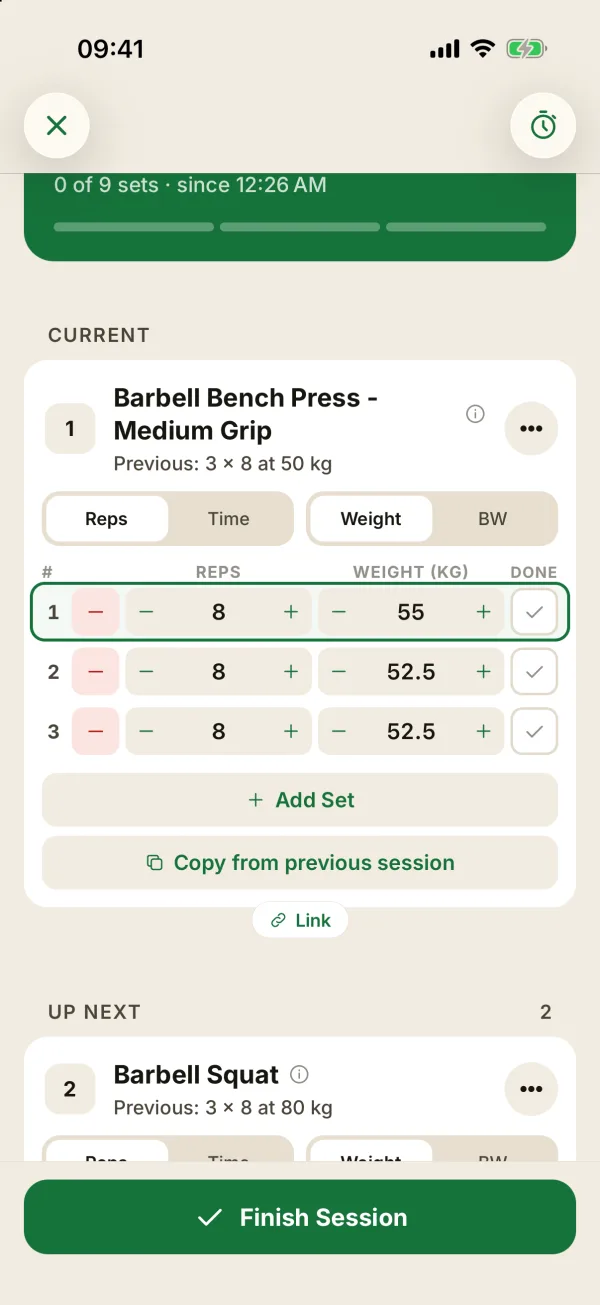
Tap Use to fill every set with no weight in one go. Sets that already have a weight and completed sets don’t change, so you can start with a lighter warm-up set and fill in the rest afterward.
How the load is picked
Coachigo looks at the profile’s last session with that exercise and takes its heaviest completed set. It adds one step when all three of these are true:
- every set of the exercise was completed;
- the target reps of the template were reached;
- the session’s RPE stayed below 9, or wasn’t logged.
The step depends on the exercise:
| In pounds | In kilos | |
|---|---|---|
| Upper body | +5 lb | +2.5 kg |
| Lower body (deadlifts included) | +10 lb | +5 kg |
Otherwise, Coachigo suggests the same load. That’s always the case after a freestyle session, since it has no target reps. The suggestion stays the same for the whole session.
When there's no suggestion
With no history on the exercise, on a bodyweight or timed exercise, and when you edit a past session.
Turn it off
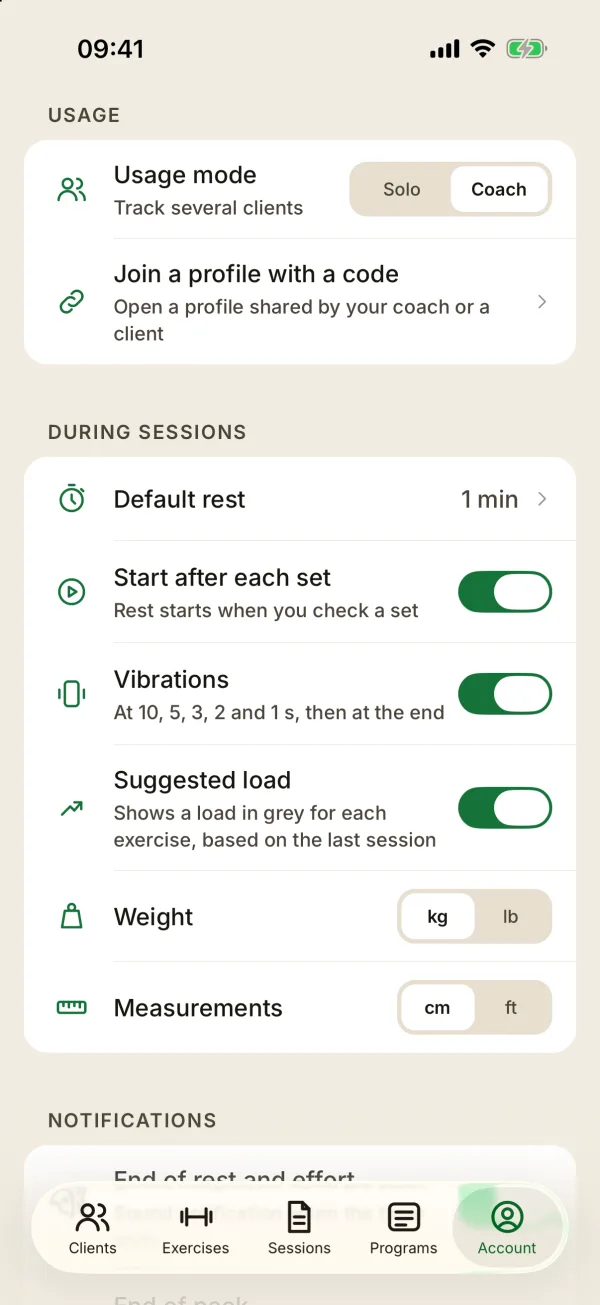
In the Account tab, During sessions section, switch off Suggested load. It applies right away, even to a session in progress. The setting is specific to each device.
FAQ
Is the gray weight saved if I don’t do anything?
No. Only Use and what you type fill in the session.
How is this different from “Copy from previous session”?
Copying brings back last time’s values. The suggestion offers a single load, possibly a step higher, for the empty sets. See how to log a workout.
Which sessions does it use on a shared profile?
All the profile’s sessions you can see, yours and your client’s.