 Coachigo
Workout templates
How to turn a session into a template in Coachigo
Had a great session with a client? Turn it into a reusable template in a few taps. Coachigo carries over the exercises, sets, reps and circuits.
You put together a great session on the fly, or you want to run last week’s again? Skip the retyping: start from the finished session and Coachigo turns it into a template, ready to reuse.
Start from a finished session
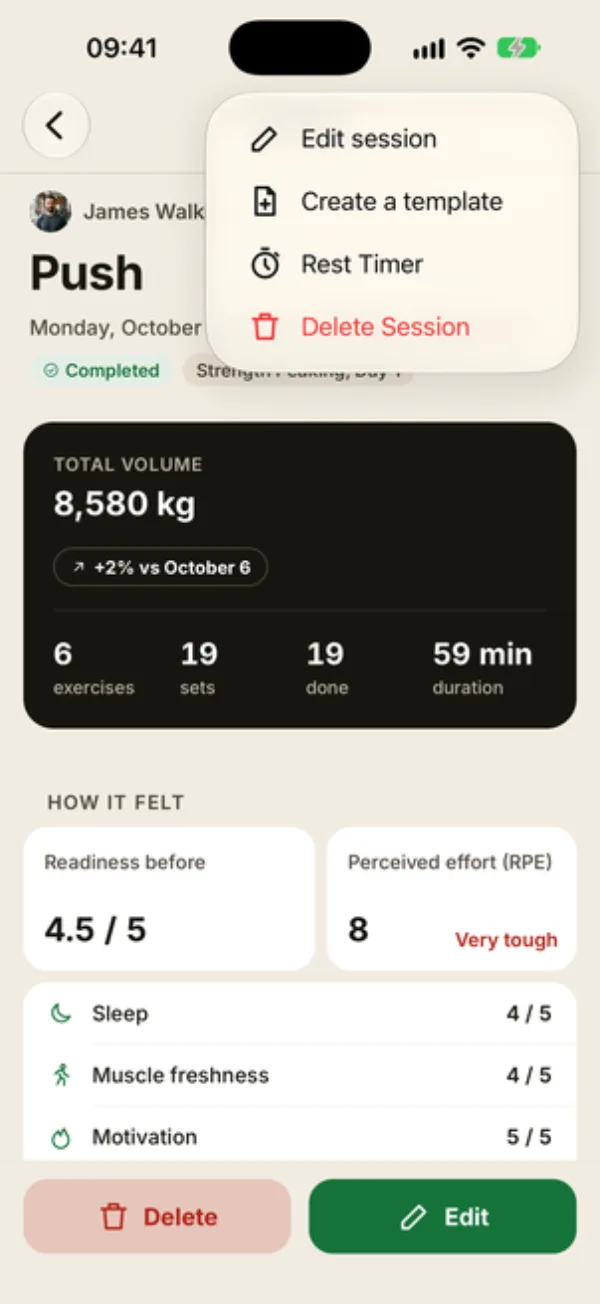
Open the session summary from the client’s profile, under Recent sessions or See all. Tap … at the top right, then Create a template.
You’ll also find it at the very bottom of the summary, below the exercise list, labeled “Reuse these exercises for the next sessions”.
Fine-tune before saving
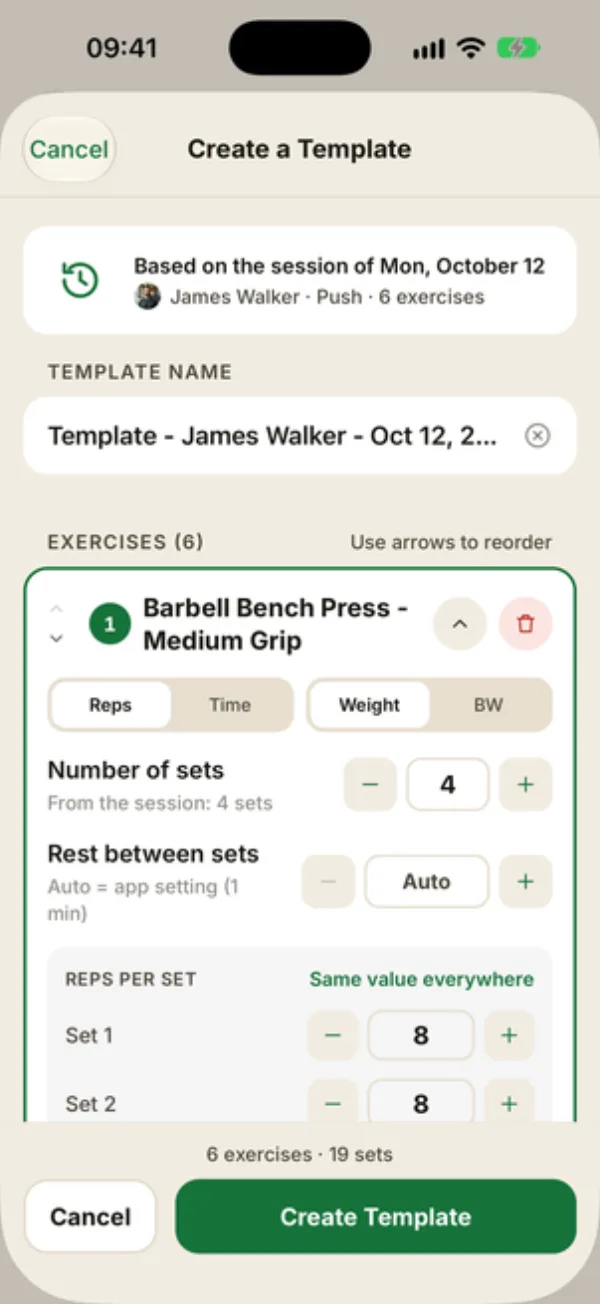
The Create a template screen opens, already filled in:
- a banner reminds you of the original session: its date, the client, its name and exercise count;
- the suggested name uses the client and date, like “Template - James Walker - Oct 12, 2026”. Swap it for something clearer;
- each exercise keeps the number of sets logged in the session (“From the session: 4 sets”), the reps of each set, time or bodyweight mode, rest and notes. Circuits come along too, with their rounds and rest.
Change anything you like, just as with any template: add or remove exercises, reorder them, adjust sets or rest. Tap Create template: Coachigo takes you to the Sessions tab, where it sits at the top of the list.
Weights aren't carried over
Like any template, this one keeps sets and reps, not the weights lifted. Those stay in the client’s history, and Coachigo shows them at the next session.
FAQ
Does the original session change?
No. It stays as is in the client’s history. The template is a separate copy.
I changed my mind halfway through
Tap Cancel. Coachigo asks you to confirm, and nothing gets created.
Does it work with a freestyle session?
Yes, and that’s where it shines: a session you built as you went becomes a template you can reuse with your other clients.