 Coachigo
Progress and stats
How to track daily habits in Coachigo
Water, steps, sleep or a custom habit, with a daily target and reminders that fit: how to track a client's habits in Coachigo, together on a shared profile.
What happens between sessions counts too. On any profile, track water, steps, sleep or a habit of your own, day after day, with a daily target. It’s free.
Add a habit
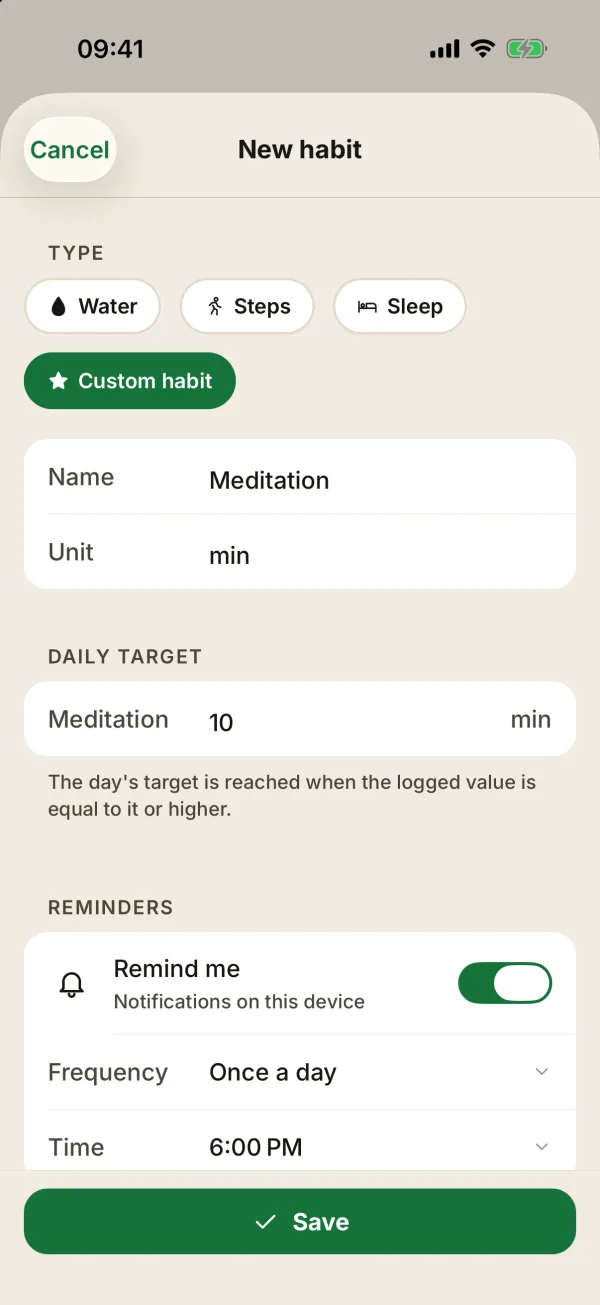
On the client’s profile, in the Habits section, tap Add a habit (or Manage, then the + button, if there are some already). Choose the Type and the Daily target:
- Water: 2 L by default;
- Steps: 8,000 steps by default;
- Sleep: 8 h by default;
- Custom habit: give it a Name (meditation, stretching) and a Unit (min, times).
The day’s target is reached when the logged value is equal to it or higher.
Log today’s value
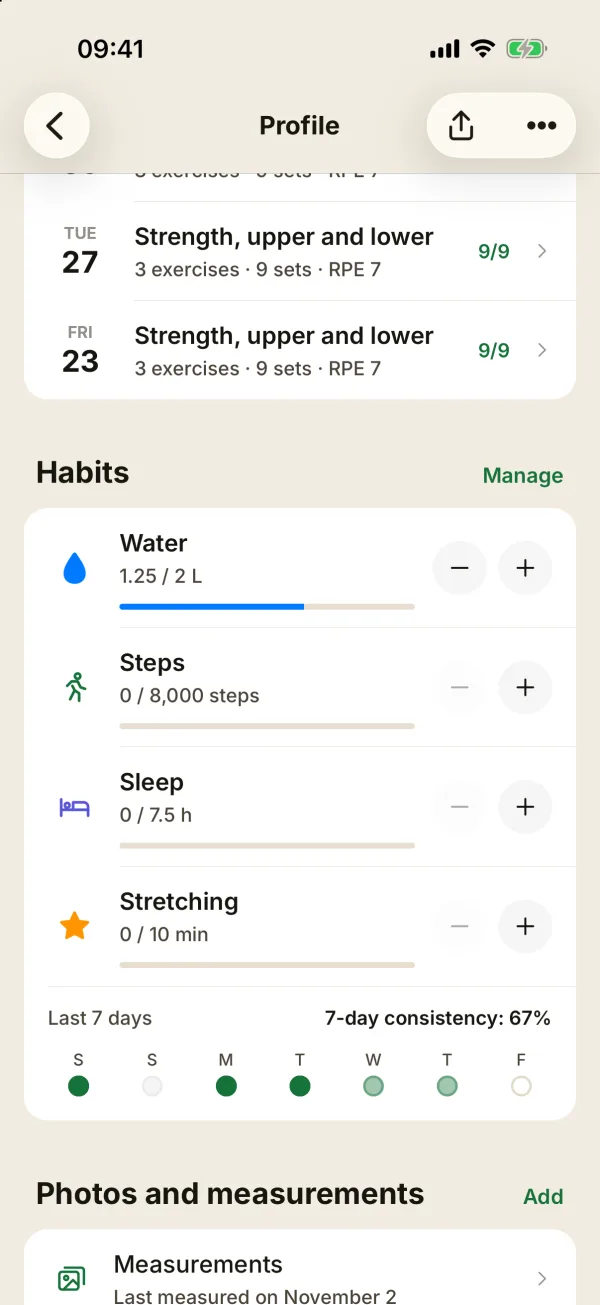
The Habits card on the profile shows each habit with its progress (“1.5 / 2 L”). The minus and plus buttons move the value one step: 0.25 L, 1,000 steps, 30 minutes of sleep, or 1 for a custom habit.
Below that, Last 7 days and 7-day consistency show the trend at a glance. Everything is entered by hand: steps and sleep don’t come from a watch or another app.
Enter an exact value
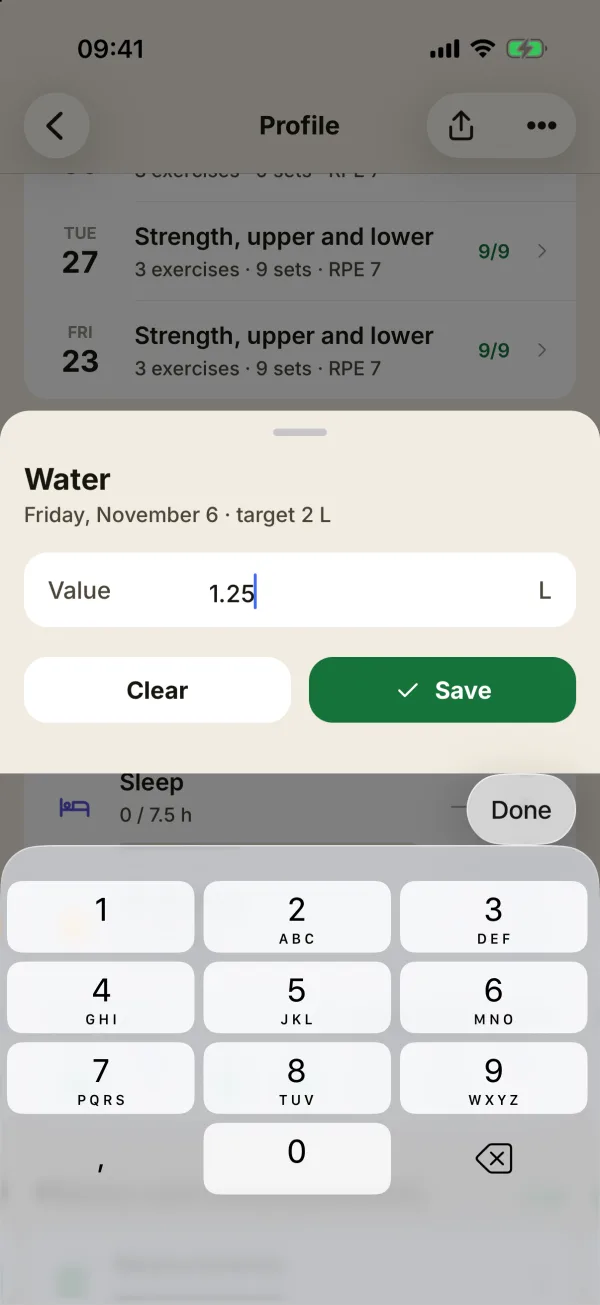
Tap the value to type it in. The sheet shows the date and target, with Save and Clear.
Read the month’s history
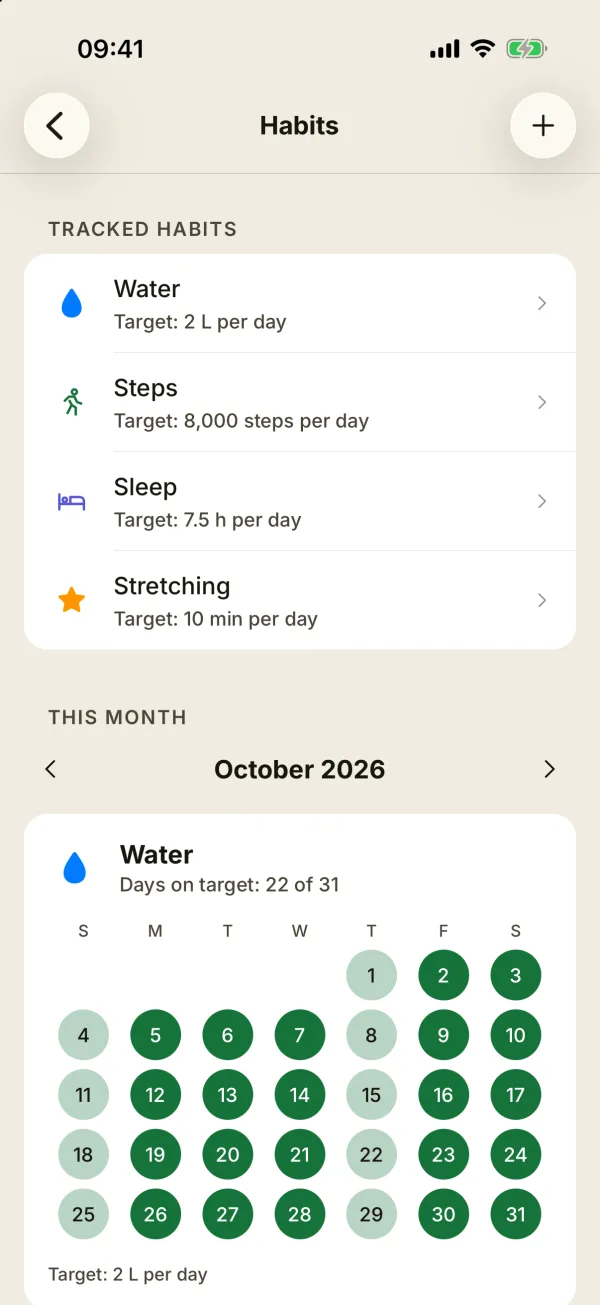
Manage opens the Habits screen. Under Tracked habits, tap a habit to edit or delete it. This month shows one calendar per habit, with Reached, Partial and Missed, and a summary like “Days on target: 18 of 24”. The arrows change the month.
Tap a day since the habit was added to correct its value. Deleting a habit also erases its history, for everyone.
Together on a shared profile
On a shared profile, the client and the coach fill in and edit the same habits. Your client logs their sleep in the morning, and you see their week before the session. You can also set a target for them, and it shows up on their phone.
Set reminders, habit by habit
Reminders live in each habit’s form, under Reminders. Turn on Remind me, then choose:
- Water, Steps and Custom habit: a Frequency, either Once a day at the Time you pick (6 PM by default), or At intervals, Every 30 min to 4 h, between two times (From and To). Water starts at intervals, every 2 h from 9 AM to 8 PM, so nothing goes off at night.
- Sleep: your Bedtime (10:30 PM by default) and when to Notify me: 15 min, 30 min or 1 h before.
The form shows how many reminders you’ll get a day. For water, steps and custom habits, the day’s reminders stop as soon as the target is reached. Tap Save to turn them on. They’re off by default, and the web version doesn’t have them.
Reminders belong to the device: on a shared profile, the client and the coach each choose their own. So a coach can get reminded about a client’s habit, with the client’s name in the notification (“Emma: Water”).
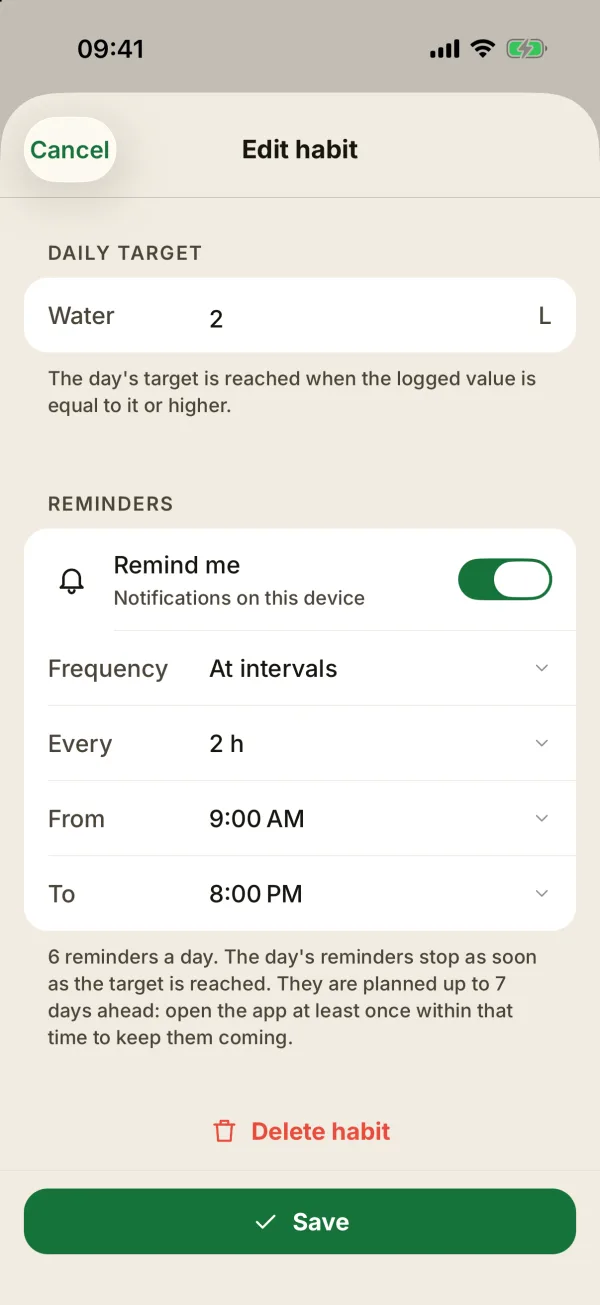
Reminders are scheduled a few days ahead on the phone: open Coachigo at least once within that time, which the form tells you, to keep them coming. With lots of reminders, that window gets shorter. If notifications are turned off on the phone, the section says so: allow them in your settings.
FAQ
Are habits a Coachigo PRO feature?
No, they’re free. Only sharing the profile needs one of the two accounts to be PRO. See what Coachigo PRO includes.
The habit reminder is gone from the account settings
That’s expected: there’s no single reminder anymore. Each habit now has its own reminders, in its form.
Can I log something I forgot yesterday?
Yes, from This month: tap the day in question.