 Coachigo
During a session
How to time an exercise in Coachigo
Planks, wall sits, dead hangs: switch an exercise to time, run the effort countdown and find the durations afterward in Coachigo.
Some exercises aren’t counted in reps: planks, wall sits, dead hangs. In Coachigo, you log them in seconds, and a countdown can time the effort for you: the set checks itself off when time’s up.
Switch an exercise to time
The exercise card has two toggles:
- Reps | Time: with Time selected, the column becomes TIME and every value reads as seconds. Nothing gets converted: a “30” stays 30, just in seconds now.
- Weight | BW: with BW (bodyweight) selected, weights reset to zero, the column becomes LOAD and every set shows a BW badge.
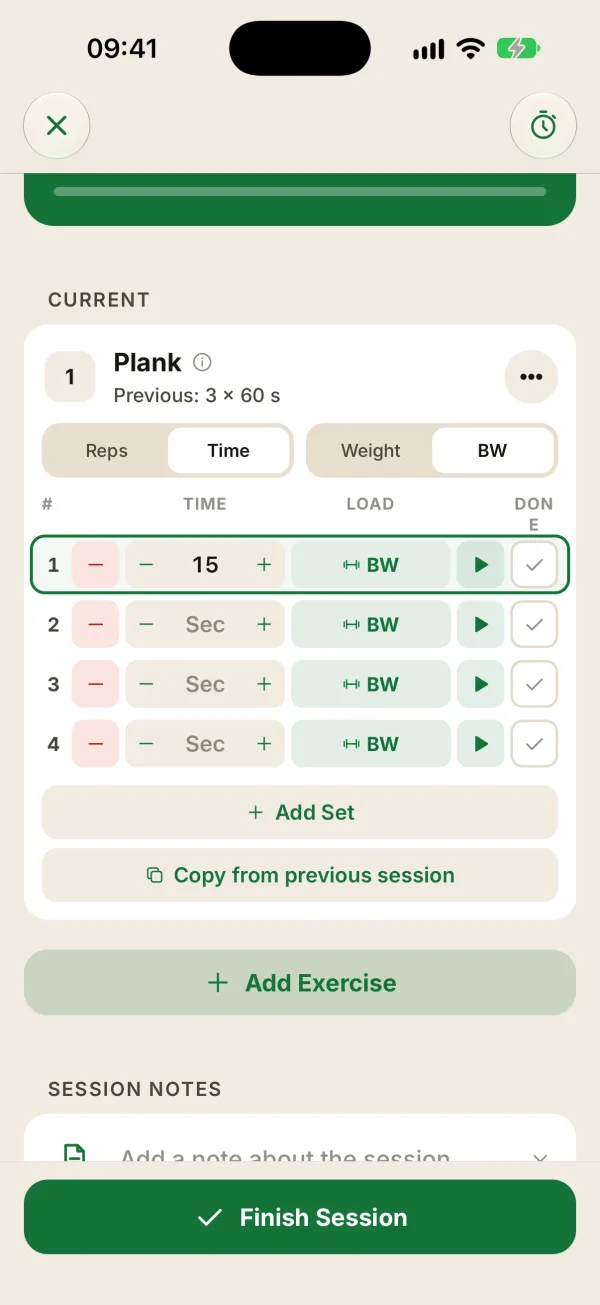
Type the duration, or use the − and + buttons: the first tap on an empty field sets 30 s, then each tap adds or removes 5 s. Hold the button to go faster.
Start the countdown
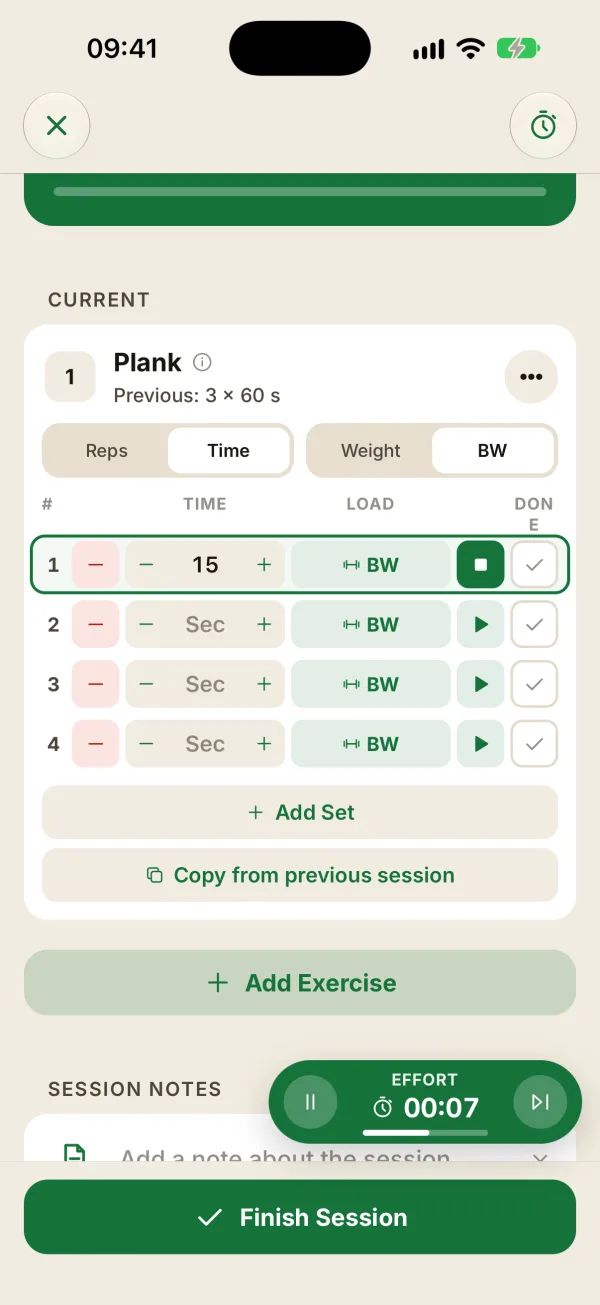
In Time mode, a play button shows up next to the checkbox of every set that isn’t checked yet. Tap it: the countdown starts, and the timer bubble shows EFFORT with the time left.
- If no duration is entered, Coachigo counts down 30 seconds and logs 30 in the set.
- The countdown starts even if Start after each set is off, and it replaces any rest that’s already running.
- The button turns into a square: tap it to stop. The set then stays unchecked, just like tapping the skip button on the right of the bubble.
When the countdown ends
- The set checks itself off. Rest then starts as usual if Start after each set is on in the Account tab, under During sessions. In a circuit, the circuit’s own rest times apply.
- The phone buzzes at 10, 5, 3, 2, and 1 seconds left and at the end, if Vibrations is on.
- An “Effort done!” notification confirms the set if End of rest and effort is on (Notifications section of the Account tab). It isn’t available on the web app.
If you’re on another screen in the app when the countdown ends, the set gets checked off when you go back to the session, even if the app was closed in the meantime. Don’t hide the “Done!” bubble with the X first, or the set won’t be checked.
Durations after the session
- In the session details, each set shows its duration (“45 s”) and the Total row adds up the seconds of the checked sets.
- For a timed exercise, the record is the longest set: weight doesn’t count.
- The exercise stats show the Best time, progression by Max time or Total time, and Time per session.
Set the mode in the template
An exercise added mid-session always starts in Reps and Weight, even if your client did it for time last session. To skip this step every time, set Time and BW in the workout template: they carry over to every session.
FAQ
How do I time an exercise inside a circuit?
Play buttons work in circuits too. But the Reps | Time and Weight | BW toggles don’t show up on the circuit card, so set the mode before you tap Link, or in the workout template.
Can I enter minutes?
Durations are entered in seconds: 90 for a minute and a half. The exercise stats then show them in minutes and seconds.
Can I start the countdown from my Apple Watch?
No, you start the countdown on your iPhone. The watch shows it live under the EFFORT label, then “Effort done”, and you can pause or skip it from there too. It also shows set durations, and you can check a set off from it.