 Coachigo
During a session
How to do supersets and circuits in Coachigo
Pair two exercises into a superset or chain more into a circuit, run it round by round and set the rest times: supersets and circuits in Coachigo.
In Coachigo, exercises you chain together become a superset (2 exercises) or a circuit (3 or more). They’re labeled A1, A2, A3 and run round by round: one set of each, rest, next round.
Superset vs. circuit
Only the name changes. Two exercises make a superset, three or more make a circuit, and both work exactly the same way. Each superset or circuit gets a letter (A, B, C…) in session order.
- A round is one set of each exercise, in order: A1, A2, A3.
- The number of rounds matches the exercise with the most sets.
Build a superset mid-session
The fastest way: tap Link, the small button between two exercises. It shows up between the current exercise and the next one, and between upcoming exercises.
- Two standalone exercises become a superset.
- If one of them is already in a circuit, the other one joins it.
- Two circuits next to each other merge into one.
You never lose a set: if one exercise has fewer sets, Coachigo adds some by copying its last set. Exercises you’ve already finished can’t be linked.
Add several exercises at once
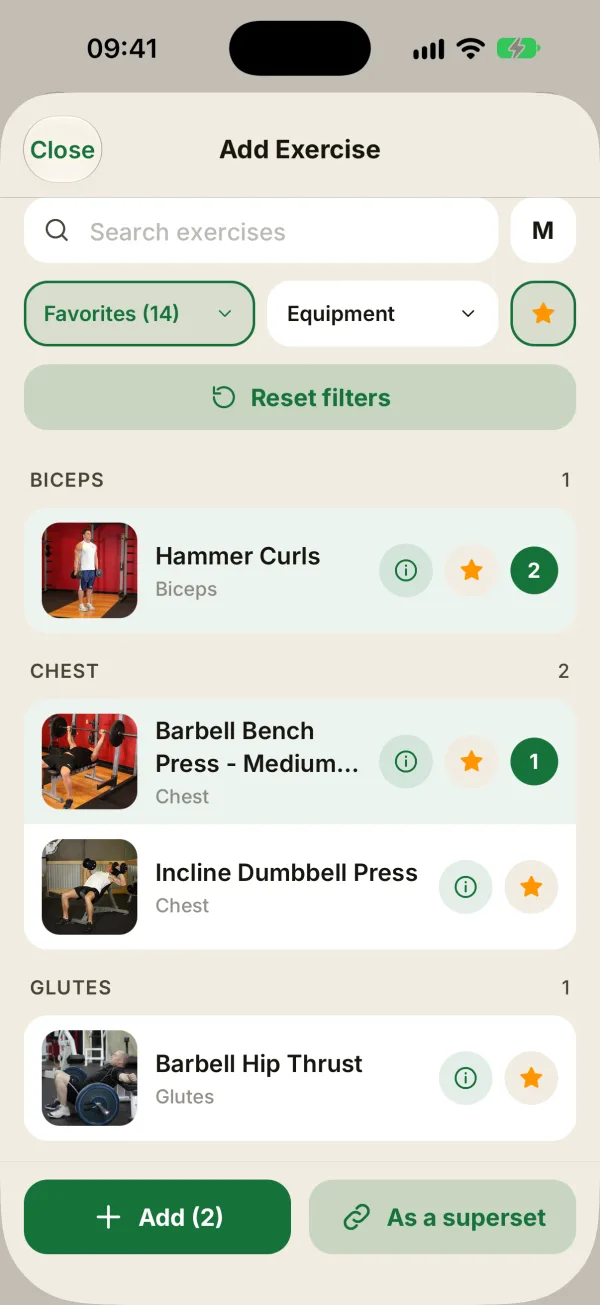
At the bottom of the session, tap Add exercise and pick several exercises. A number shows the order you picked them in.
- Add drops them in one after the other, as separate exercises.
- As a superset (2 exercises) or As a circuit (3 or more) builds the block straight away at the end of the session, with 4 rounds.
You can also set up supersets and circuits ahead of time in a workout template: they come back exactly the same every session.
Read the circuit card
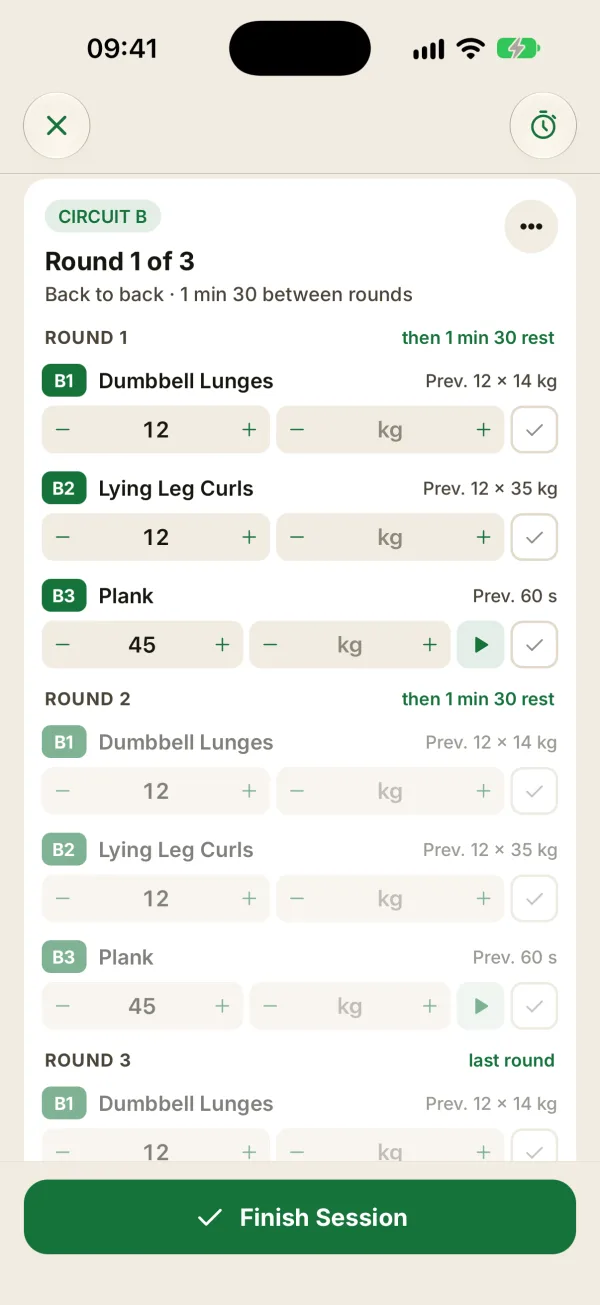
- Round 1 of 3 shows where your client is.
- The line underneath sums up the rest times, like “Back to back · 1 min 30 between rounds”.
- Each round opens with the rest that follows it (“then 1 min 30 rest”) or “last round”, then lists its exercises (A1, A2, A3) with last time’s numbers (“Prev.”).
- The outlined row is the next set. Later rounds stay grayed out.
Check off sets round by round
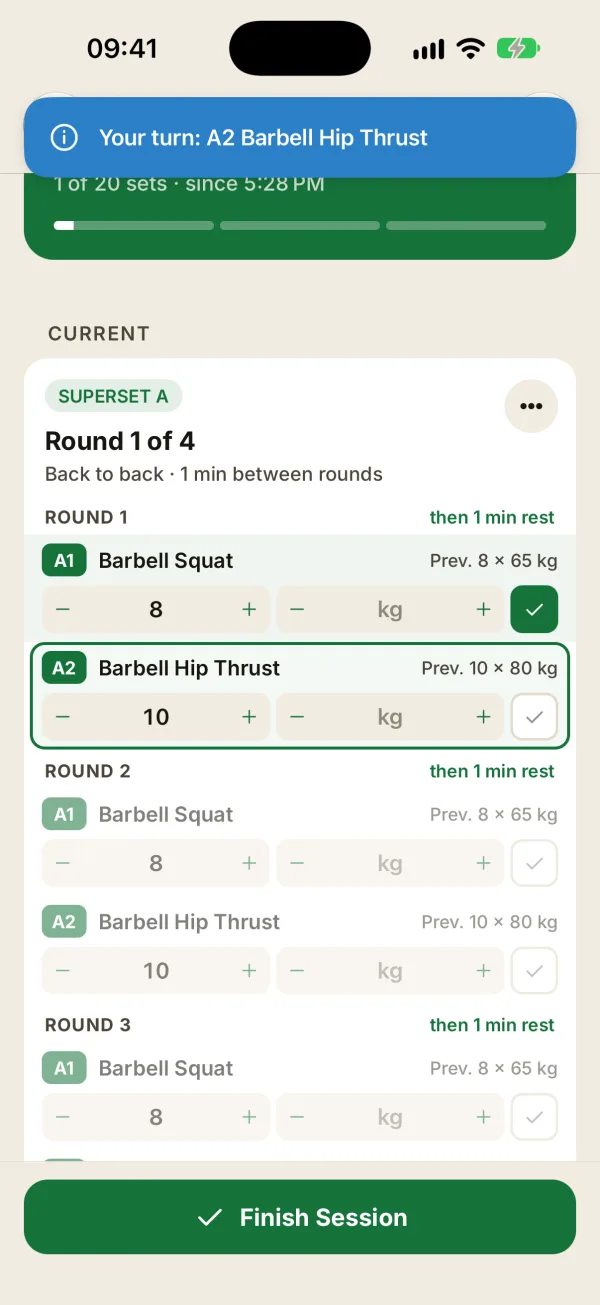
Check off each set as you go through the round: the next one gets outlined right away. When there’s no rest between exercises, Coachigo just shows Your turn: A2 … to call the next one. If you’ve set a rest between exercises, a Transition timer starts instead.
The order is up to you: you can check any row. The outlined set is only a suggestion.
Rest between rounds
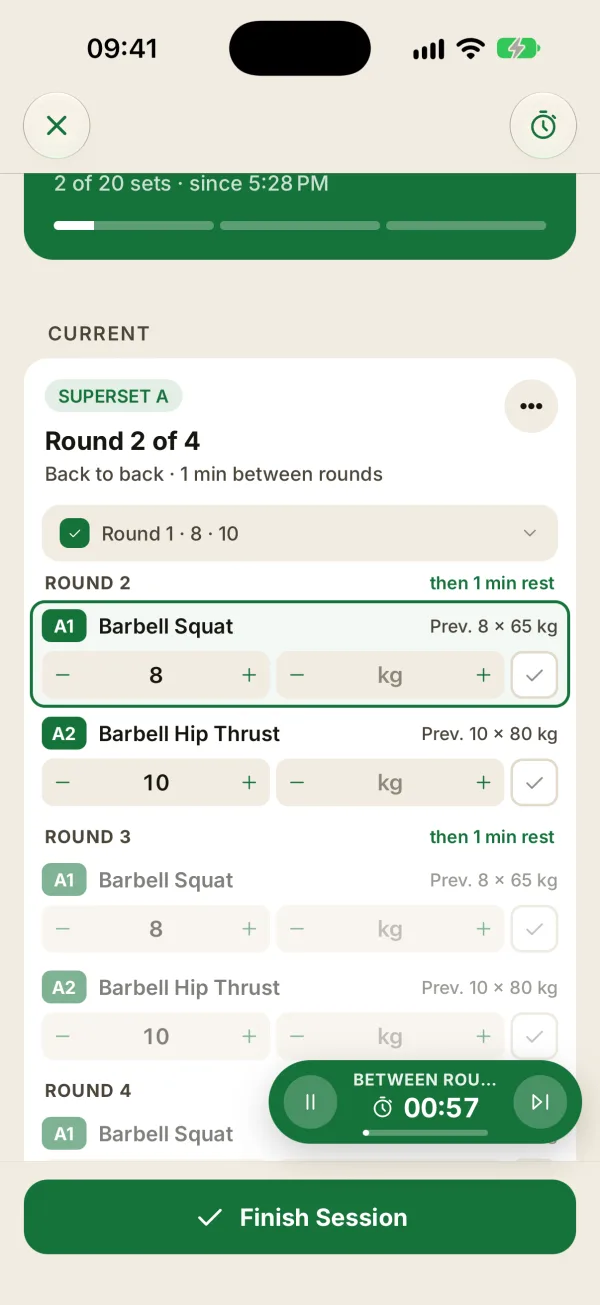
When a round is done, it folds into a one-line summary (“Round 1 · 8 · 10”) and the Between rounds timer starts. Tap the summary to reopen the round and fix a number.
Rest only starts on its own if Start after each set is turned on in the Account tab, under During sessions, which it is by default.
Set the rest and the rounds
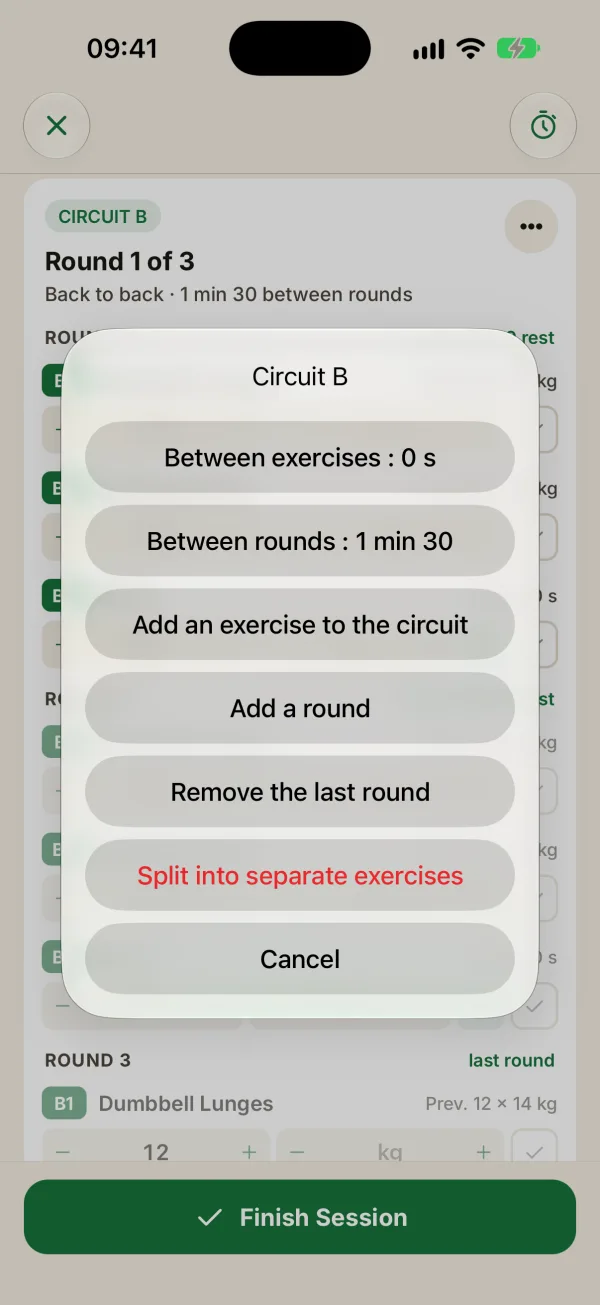
The … button on the card opens the circuit menu:
- Between exercises: from Go straight on (0 s) up to 45 s.
- Between rounds: from 30 s to 3 min.
- Add an exercise to the circuit: it goes last, with one set per round.
- Add a round: one more set for each exercise, copied from the last one.
- Remove the last round: available when there are at least two rounds and no set in the last round is checked.
- Split into separate exercises: every exercise goes back to standalone, no sets lost.
Default rest times
A superset you build mid-session runs the exercises back to back. Between rounds, it uses the first exercise’s own rest if it has one, otherwise your default rest (60 seconds unless you’ve changed it). A circuit set up in a template keeps its own settings.
FAQ
How do I handle a plank in a circuit?
A timed exercise shows a play button next to the checkbox. It starts the countdown, and the set checks itself when time’s up. With no duration entered, it defaults to 30 seconds. Switch the exercise to Time or BW before you link it: those options aren’t available inside the circuit card.
Can I take one exercise out of a circuit?
Not one by one during a session. Use Split into separate exercises, then link the ones you want to keep together again. In a template, though, each exercise has a Take out of the circuit option.
What does the circuit look like after the session?
In the session details, the circuit shows By round (a table with one row per round) or By exercise. Below the By round table, Coachigo shows volume, circuit time and fastest round when that data is available.
Do circuits work on the Apple Watch?
Yes. The watch shows the circuit and the round number, and follows the same rest rules. You create and edit circuits on the iPhone.