 Coachigo
Connecting clients to the app
How to remove a client's access in Coachigo
Coaching ended, new phone, wrong person: remove a client's access to their shared profile, then generate a new code. You keep all their sessions.
Your coaching with someone is wrapping up, or the wrong person joined a profile? You can cut access in a few seconds without losing a thing: the profile and its full history stay with you.
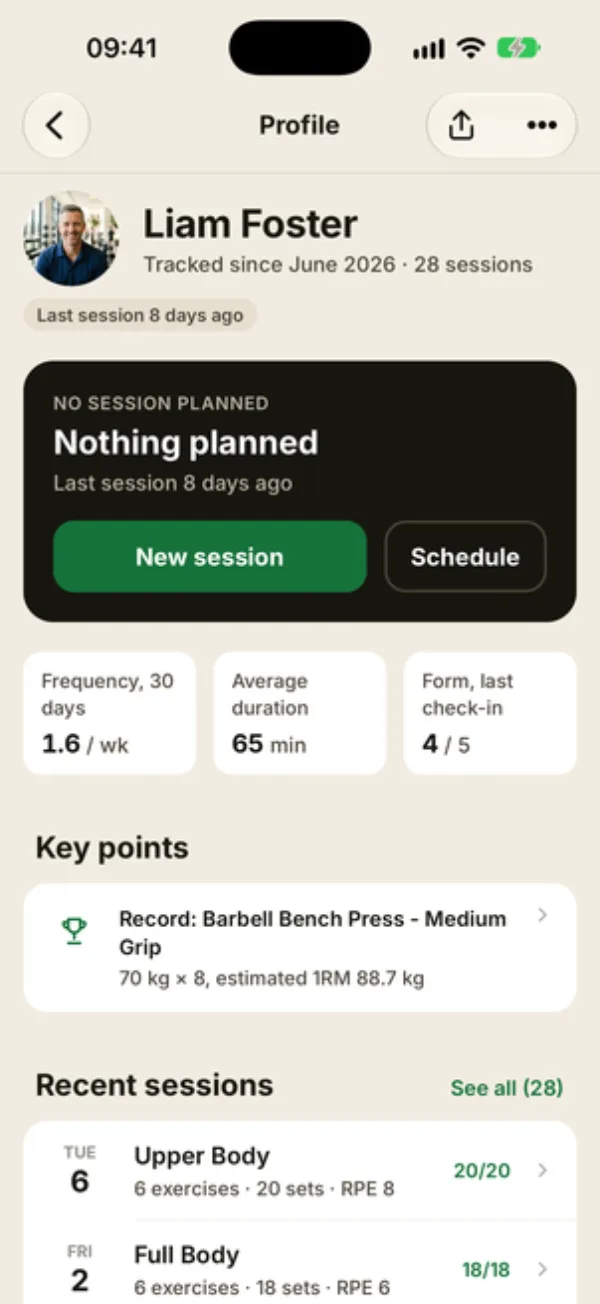
Open the sharing screen
Open the client’s profile and tap the share icon at the top right. On iPhone, you can also go through the … menu, then Share profile.
Remove the person
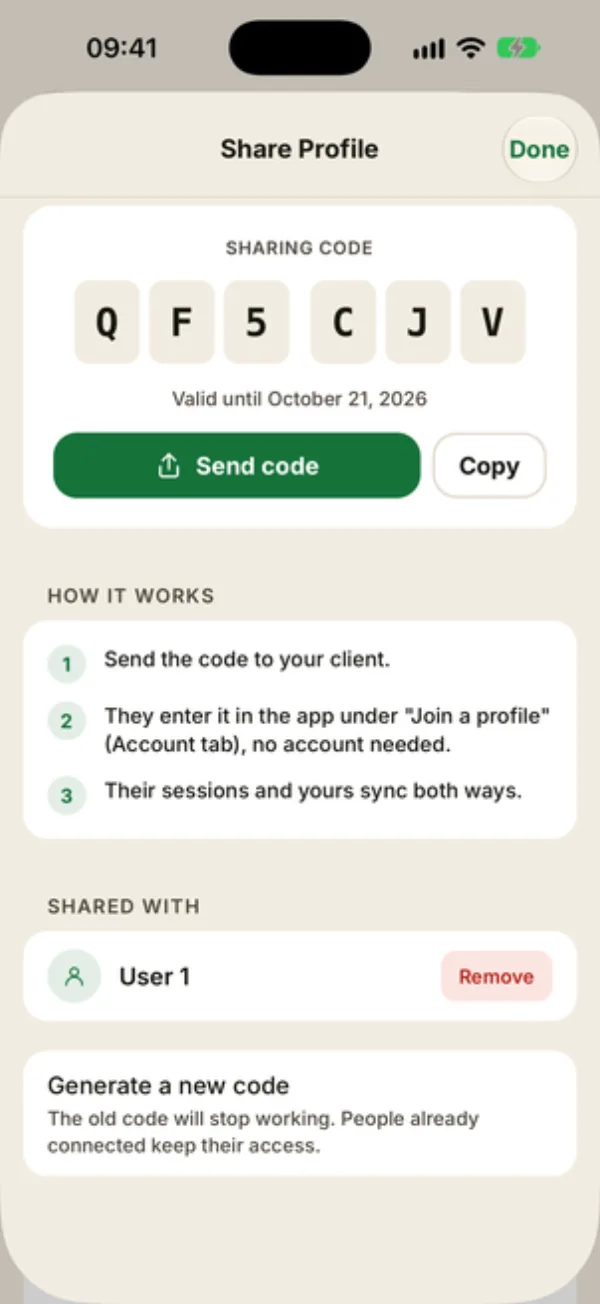
Scroll down to Shared with. It lists everyone connected to the profile, with their account name, or “User 1”, “User 2” and so on if they don’t have one.
Tap Remove next to the person.
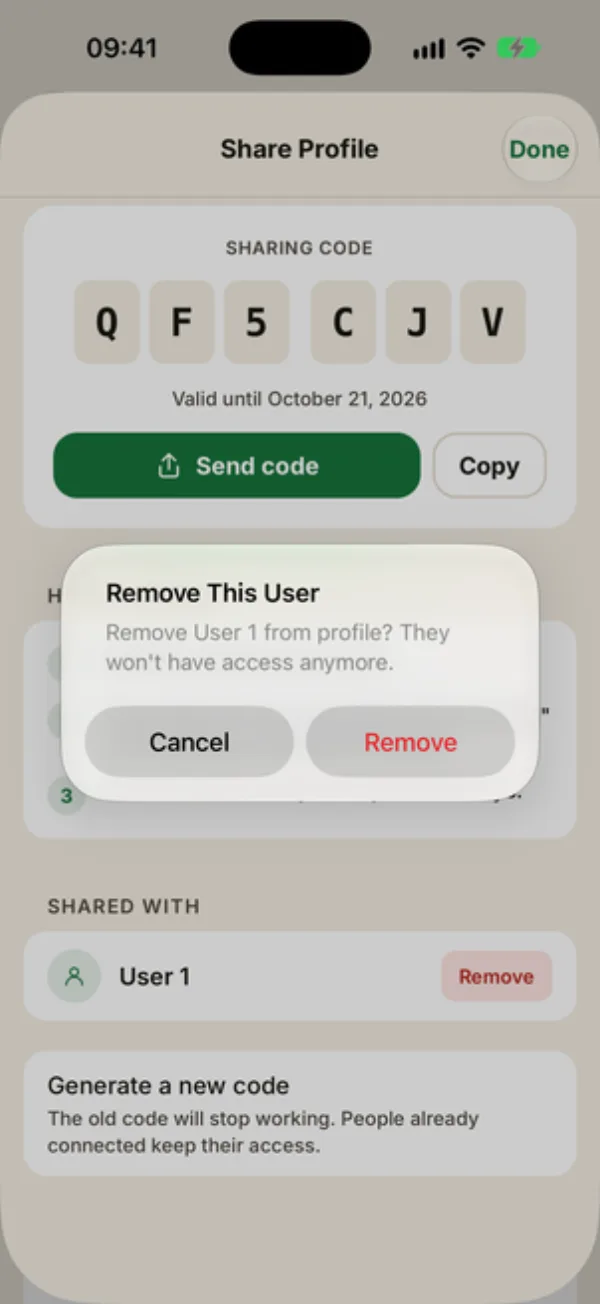
Confirm
Coachigo asks you to confirm with “Remove This User” and their name. Tap Remove again. You’ll see “User Removed” and the person drops off the list.
From then on, they no longer have access to the profile: your new sessions don’t reach them anymore, and anything they enter no longer reaches you.
Generate a new code
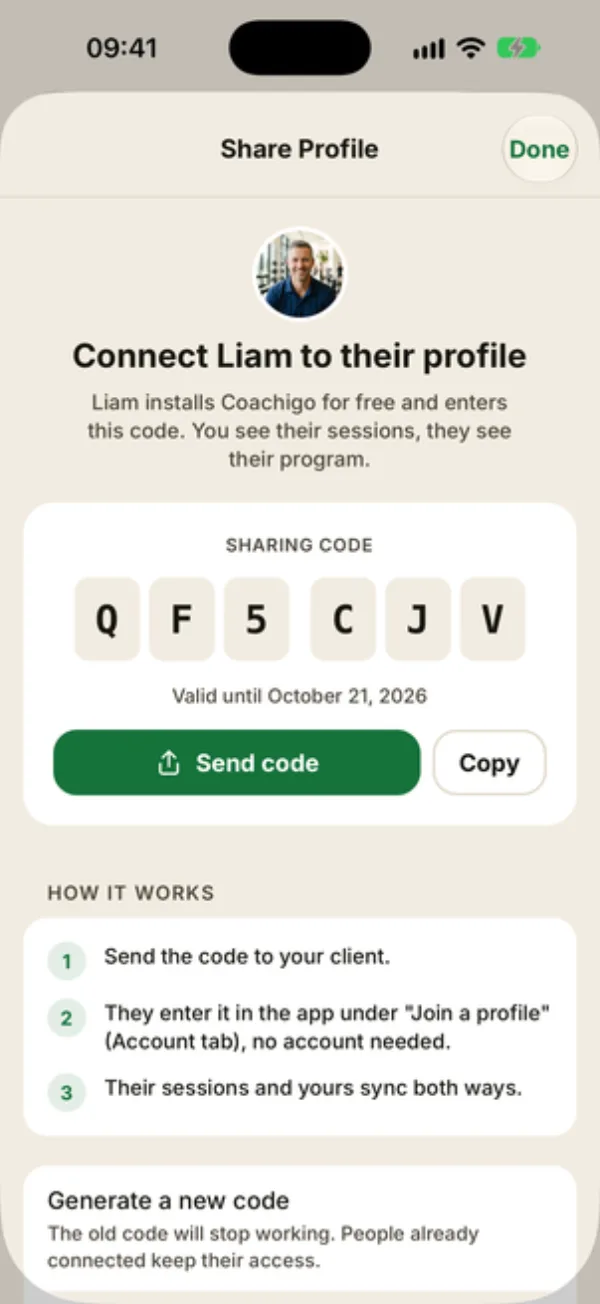
Removing someone doesn’t change the sharing code. If it’s still valid (7 days after it was created), the person you removed could join the profile again with that same code.
So right after removing them, tap Generate a new code at the bottom of the screen. The old code stops working immediately, and anyone else already connected keeps their access.
Who keeps what
Everything your client logged was already stored in your account, so you keep their sessions, measurements and photos. If they’d like to hang on to their sessions, send them a file before you remove them: see how to export and import your data.
Internet connection required
Removing access happens online. Offline, Coachigo shows “Internet connection required for this action.”
When your client leaves on their own
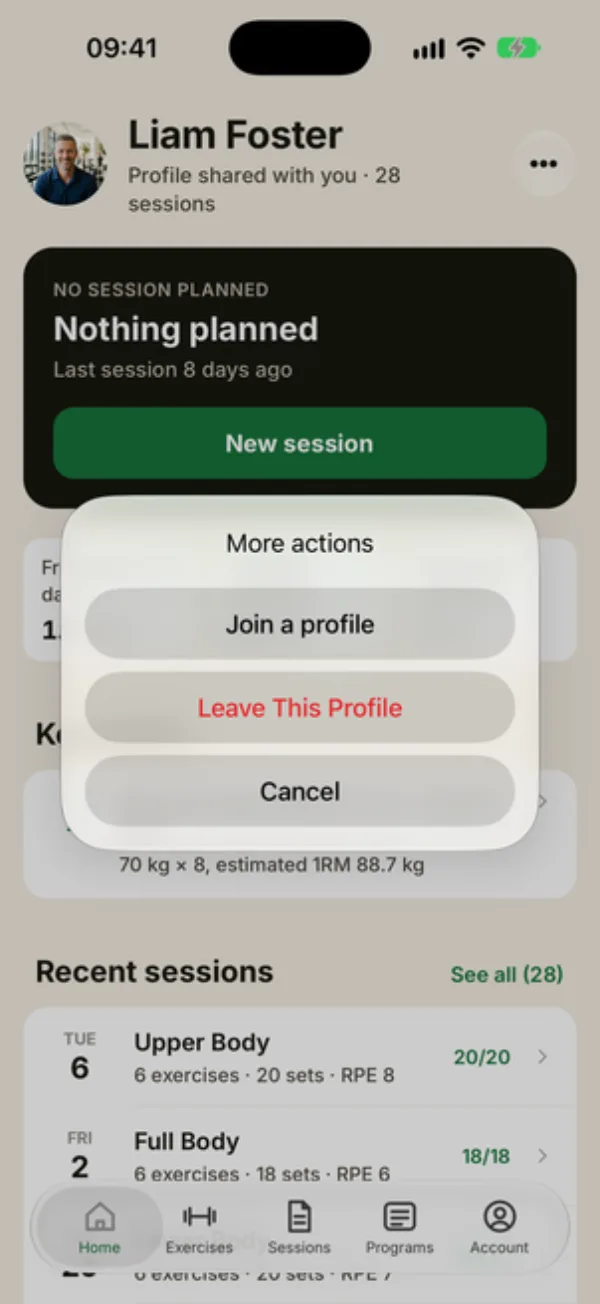
Your client can also leave the profile themselves: from the profile, … menu, Leave This Profile, then Leave to confirm. They disappear from your Shared with list, and nothing is deleted on your side: their sessions stay on the profile.
FAQ
Will my client be notified?
No, Coachigo doesn’t send notifications. Give them a heads-up before you remove their access.
Is generating a new code enough to cut access?
No. A new code only stops new people from joining with the old one. To cut someone’s access, remove them from Shared with.
What if I delete the profile instead?
Its sessions are then deleted for everyone, yours included. To end sharing, remove access instead. See how to edit or delete a client.