 Coachigo
Exercises
How to find an exercise in Coachigo
Search by name, filter by muscle group and equipment, and keep your go-to lifts in favorites to find any of the 873 exercises in Coachigo's library fast.
Coachigo’s library has 873 illustrated exercises, plus the ones you create yourself. Between search, two filters and your favorites, you can pull up the right one in a few seconds. It’s all free, no subscription needed.
Open the library
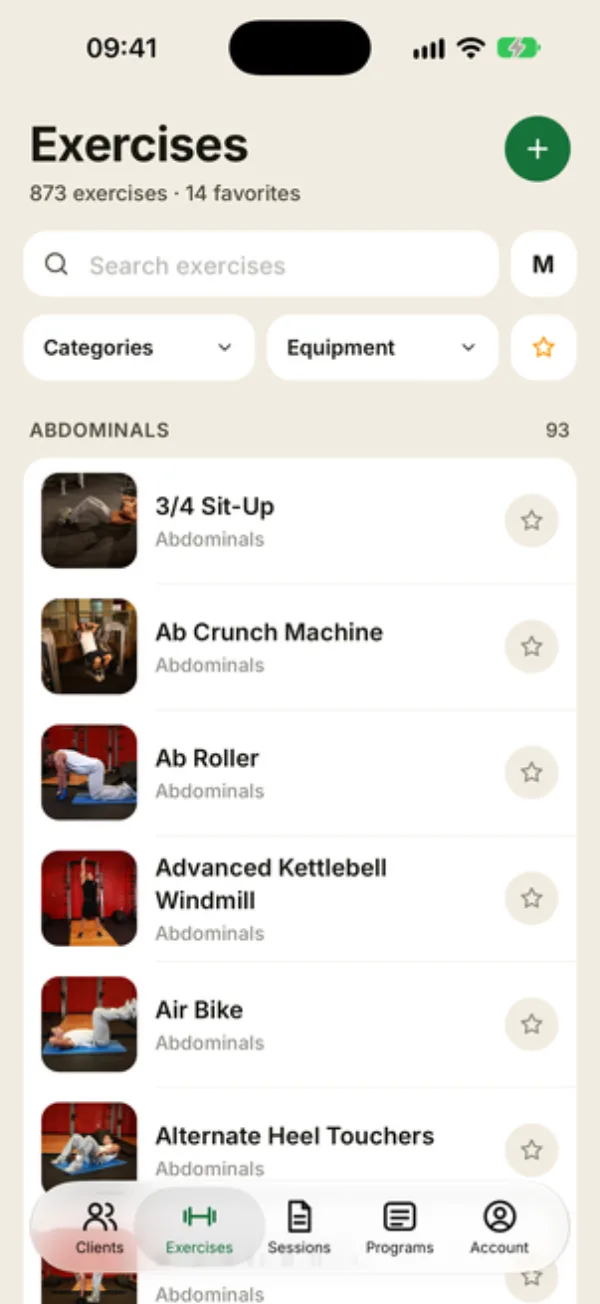
Tap the Exercises tab. Under the title, Coachigo shows how many exercises and favorites you have.
The list is grouped by muscle group, with a count for each one (ABDOMINALS 93). Each row shows a thumbnail, the exercise name and the muscle it works. Tap a row to open the exercise sheet.
The M button next to search changes the list size: each tap moves to the next size, S, M then L, making the images smaller or bigger. Your pick is saved on the device.
Search
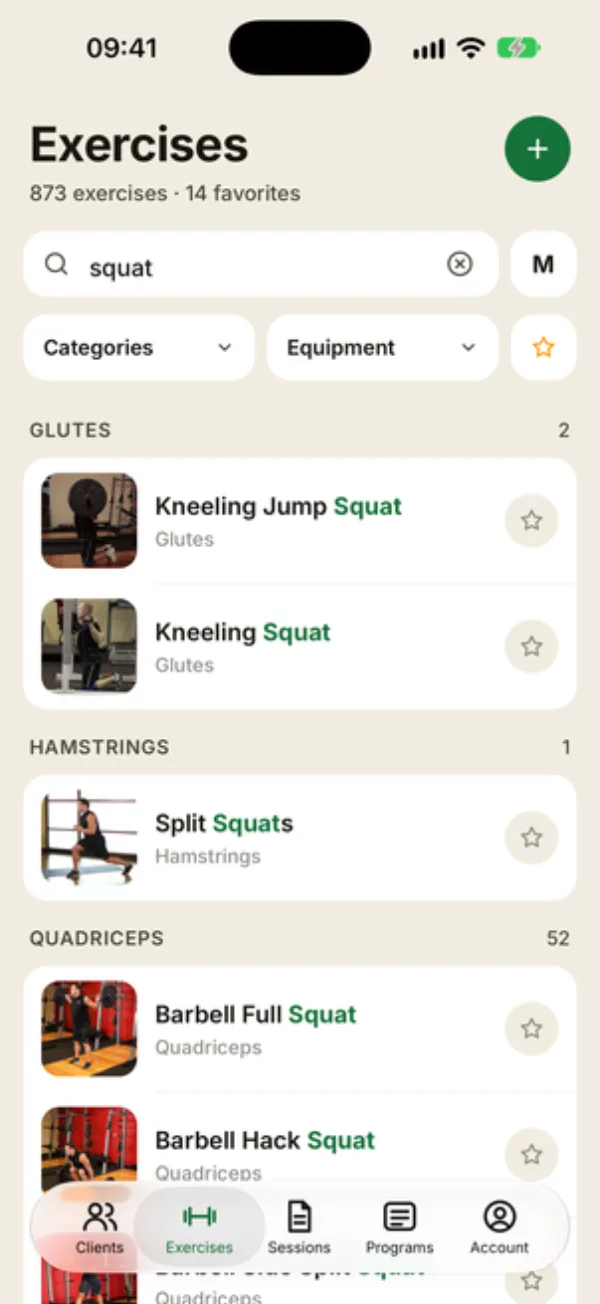
Type in Search exercises. Coachigo looks through exercise names and muscle groups, ignoring capitalization and accents. It also matches the French names, which helps if you work with French-speaking clients.
You can type several words in any order: “squat barbell” only keeps exercises that contain both. Matching words are highlighted in green. The X clears the field.
Filter by muscle group and equipment
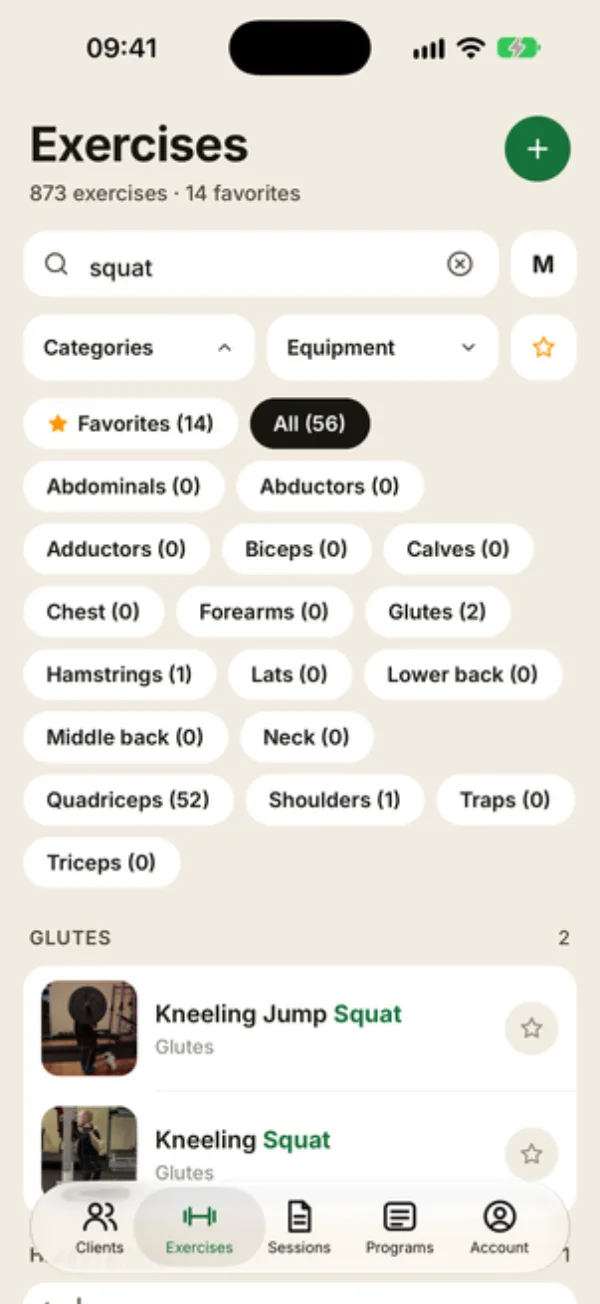
- Categories: the muscle group, from Abdominals to Triceps, plus Favorites and All.
- Equipment: Barbell, Dumbbells, Bodyweight, Kettlebell, Machine, Cable and more, or All.
Each muscle group and piece of equipment shows how many exercises match in parentheses, taking your search and the other filter into account. Muscle group, equipment and search stack: Quadriceps with Dumbbells, for example.
When a filter is on, Reset filters clears them all and leaves your search alone.
Keep your go-to exercises in favorites
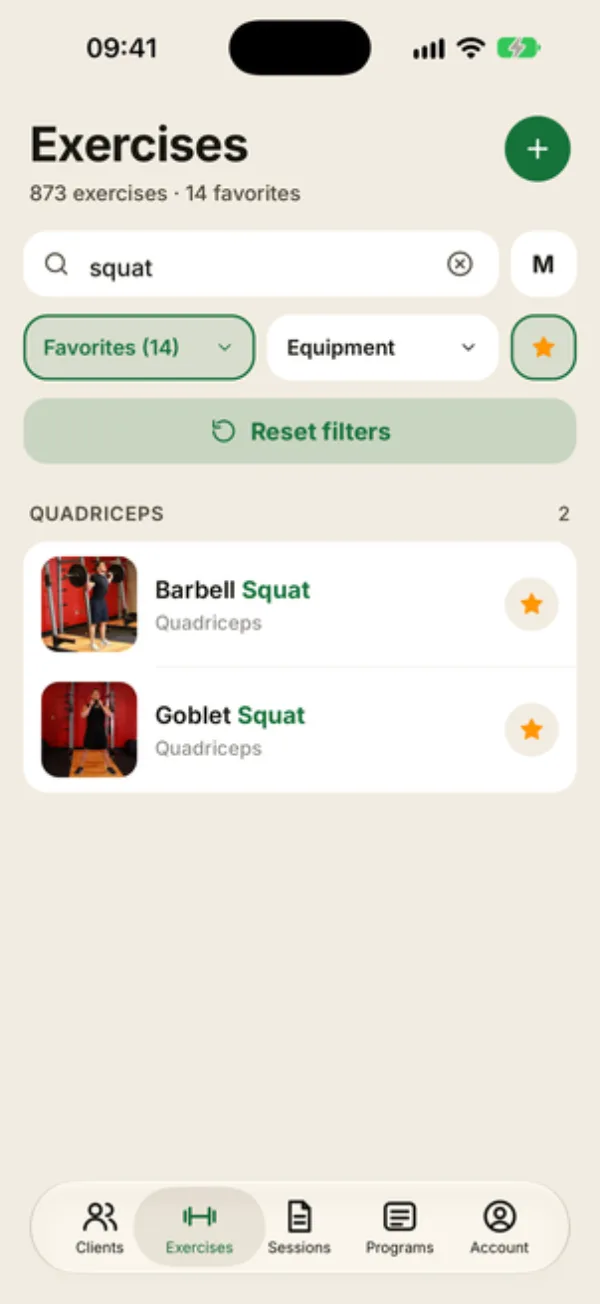
Tap the star on a row, or on the exercise sheet, to add it to your favorites. The star button next to the filters then shows only your favorites: it’s the same as picking Favorites under Categories.
Favorites are tied to your account, so they follow you on every device. Once you have more than 5, the list opens straight to them.
Add exercises to a session
In a live session or a template, Add exercise opens the same list, with the same search and filters. Tap several rows: each one gets a number, in the order you tapped them. The (i) button opens the exercise sheet without checking it.
At the bottom, Add (N) adds them one after another. With two exercises, As a superset groups them together; with three or more, it’s As a circuit: see how supersets and circuits work.
Star what you program most
Favorite the lifts you program all the time. When you’re adding exercises mid-session, the star button brings them up in one tap.
FAQ
Can I search for “dumbbells”?
Search covers names and muscle groups, not equipment. Use the Equipment filter instead.
Why does the list open on my favorites?
Because you have more than 5. Tap the star button or Reset filters to see the whole library.
I can’t find an exercise
If you see “No exercises found”, try another word or remove a filter. If it really isn’t there, create a custom exercise.