 Coachigo
During a session
How to edit a past session in Coachigo
Fix a weight, add a forgotten exercise, change the date or delete a session: how to edit a session that's already finished in Coachigo.
A set logged at 12 kg instead of 14, a forgotten exercise, a session saved on the wrong day: in Coachigo, you can fix a finished session at any time from its summary.
Open edit mode
Open the session from the client profile, then tap Edit at the bottom of the screen, or … at the top right, then Edit session.
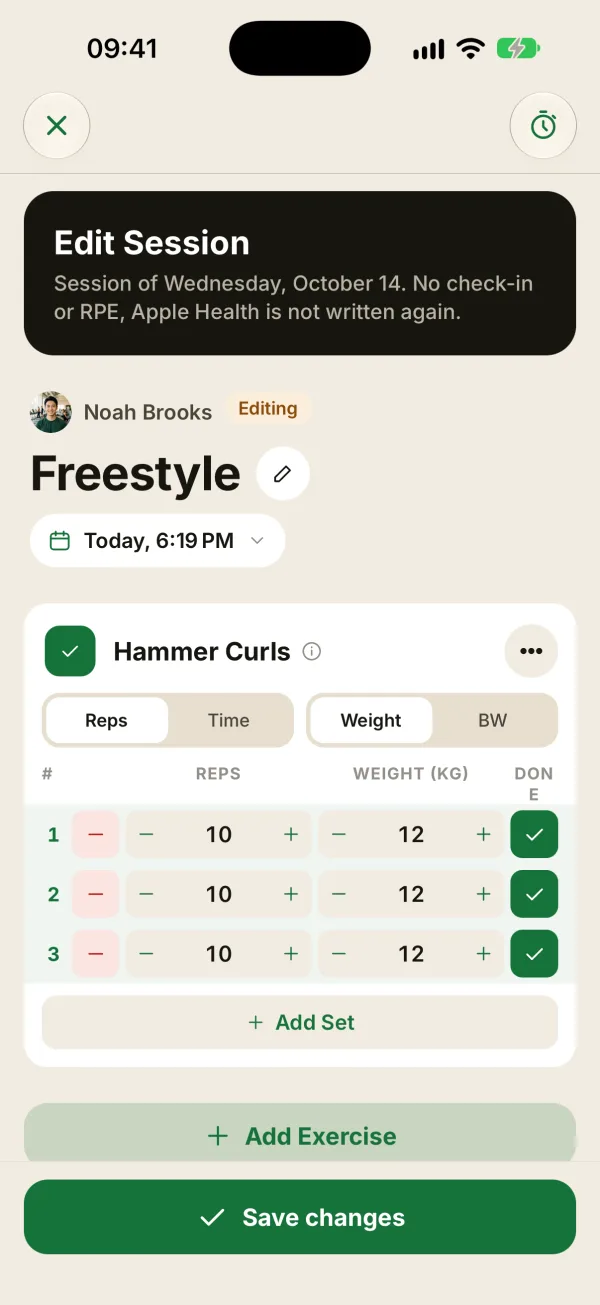
The session screen opens in edit mode:
- an Edit session banner shows the session’s date;
- an Editing badge replaces the session type;
- every exercise is shown in full, with its sets as they were logged.
For a session that’s still in progress, the button says Resume: it just takes you back to the session.
What you can change
- Sets: reps, weights, and whether each set is checked. Add set adds one and the red − button removes one (as long as there are at least two).
- Exercises: Add exercise at the bottom of the list, or Remove from session in an exercise’s … menu. The Link button turns two neighboring exercises into a superset.
- The mode of each exercise: Reps or Time, Weight or BW.
- The session name, with the pencil next to the title.
- The date (and time on iPhone), by tapping the date under the title.
- Session notes, at the bottom of the screen.
The readiness check-in, the perceived effort (RPE) and the exercise notes that come from the template can’t be changed. Apple Health data isn’t rewritten either.
Save
Tap Save changes: you’re taken back to the updated summary. The X at the top left saves too.
Changes save as you go
There’s no button to cancel an edit: every change is saved a few seconds after you make it. If you slip up, just put the old value back before you leave.
Change a session’s date
Tap the date under the title, pick the day and time, then tap Confirm. On Android, you only pick the day, then tap OK. The session moves to its new spot in the history, and session numbers update. Records and comparisons with earlier sessions follow the new date too.
Delete a session
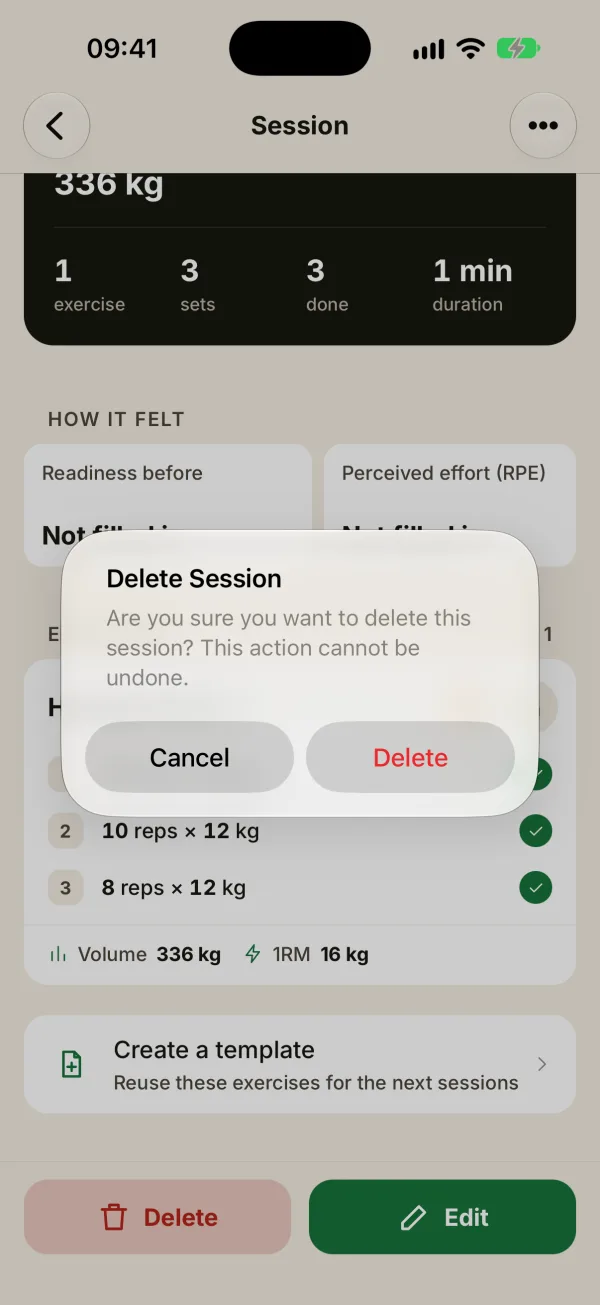
Tap Delete at the bottom of the summary, or … then Delete session, and confirm.
The session disappears from the history and the stats, and it can’t be recovered from the app. The client’s records, volume and stats recalculate automatically.
FAQ
Can my client edit their sessions?
Yes, if you’ve shared their profile with them: they can edit sessions they logged themselves, but not yours. They can’t delete any sessions.
Can I add the RPE or check-in afterward?
No. The check-in is filled in when the session starts and the RPE when it ends, never in edit mode. Values already saved are kept when you edit the session.
How do I log a session I forgot to record?
Start a new session for the client, log the sets, then tap the date under the title to move it to the right day before you finish it.