 Coachigo
Account and subscription
How to delete your Coachigo account
Request deletion of your Coachigo account from the app, what happens over the next 30 days, and why you need to cancel your subscription separately.
You can request deletion of your Coachigo account and all your data right from the app. The request is processed within 30 days. Before you start, take care of two things: cancel your subscription if you have one, and export anything you want to keep.
Important: cancel your subscription separately
Deleting your account doesn’t stop Coachigo PRO. If you’re subscribed, cancel first in your App Store or Google Play settings, or it will keep renewing. See How to subscribe to Coachigo PRO, restore or cancel.
Before you delete
Once your account is deleted, your clients, their workouts and your programs can’t be recovered. To keep a copy of your clients and their workouts, export your data before you send the request.
Request deletion
- Open the Account tab, Data section.
- Tap Delete my account.
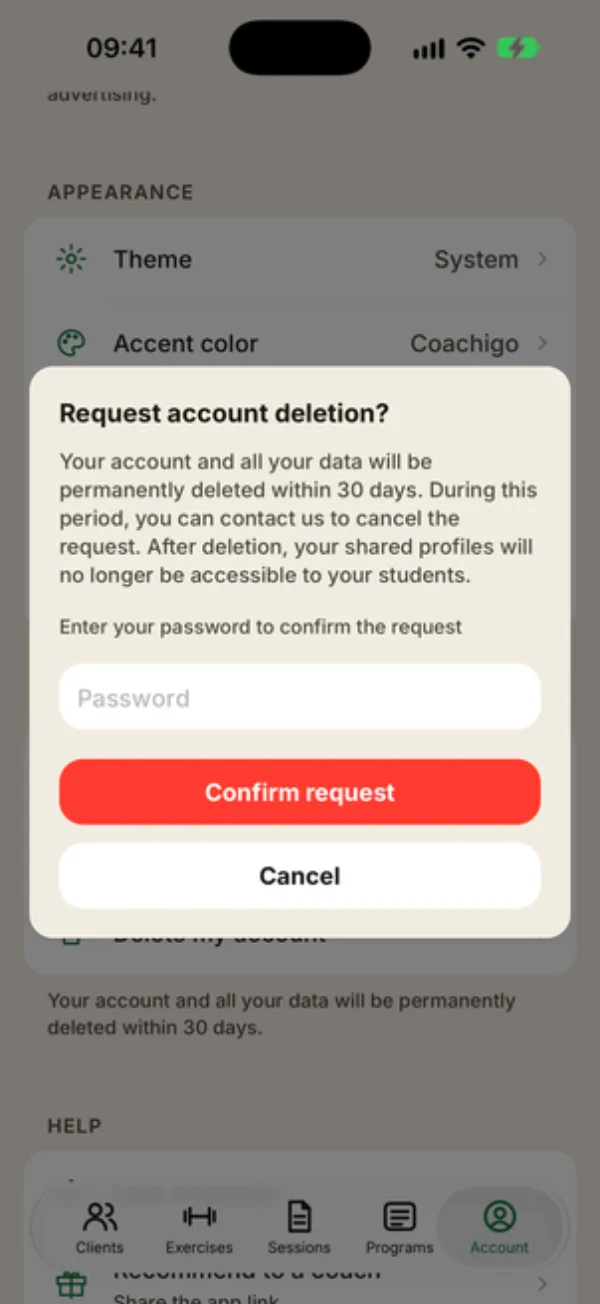
- The “Request account deletion?” window explains what happens next. Enter your password in the Password field.
- Tap Confirm request.
“Request submitted” confirms it went through, then the app signs you out. If you leave the password blank, you’ll see “Password required” and nothing happens.
What happens next
- Within 30 days, your account and all your data are permanently deleted. It doesn’t happen instantly.
- During that time, you can email us to cancel the request. You’ll find the address in the Privacy Policy, at the bottom of the Account tab. There’s no cancel button in the app.
- Your shared profiles will no longer be available to the people you share them with, so give your clients, or your coach, a heads-up.
Only for signed-in accounts
Delete my account only shows up when you’re signed in with an email and password. If you use Coachigo without an account, you won’t see it: email us at the address in the Privacy Policy for any request.
FAQ
I forgot my password
Tap Sign out at the bottom of the Account tab, then Sign in and Forgot password? to set a new one. Sign back in and send the request again.
Is deleting the app enough?
No. Uninstalling Coachigo doesn’t delete your account or your data, and it doesn’t stop your subscription.
Do my clients lose their own data?
Clients with their own account keep the profiles they created. They lose access to the profiles you shared with them.