 Coachigo
Exercises
How to create a custom exercise in Coachigo
Missing an exercise? Create it with a name, muscle group, equipment, photo and your own instructions, then edit or delete it whenever you need to.
A variation you came up with, a rehab drill, a movement from your own method: if the library doesn’t have it, create it. It then works like any other exercise, in sessions, templates and stats. It’s free.
Fill in the form
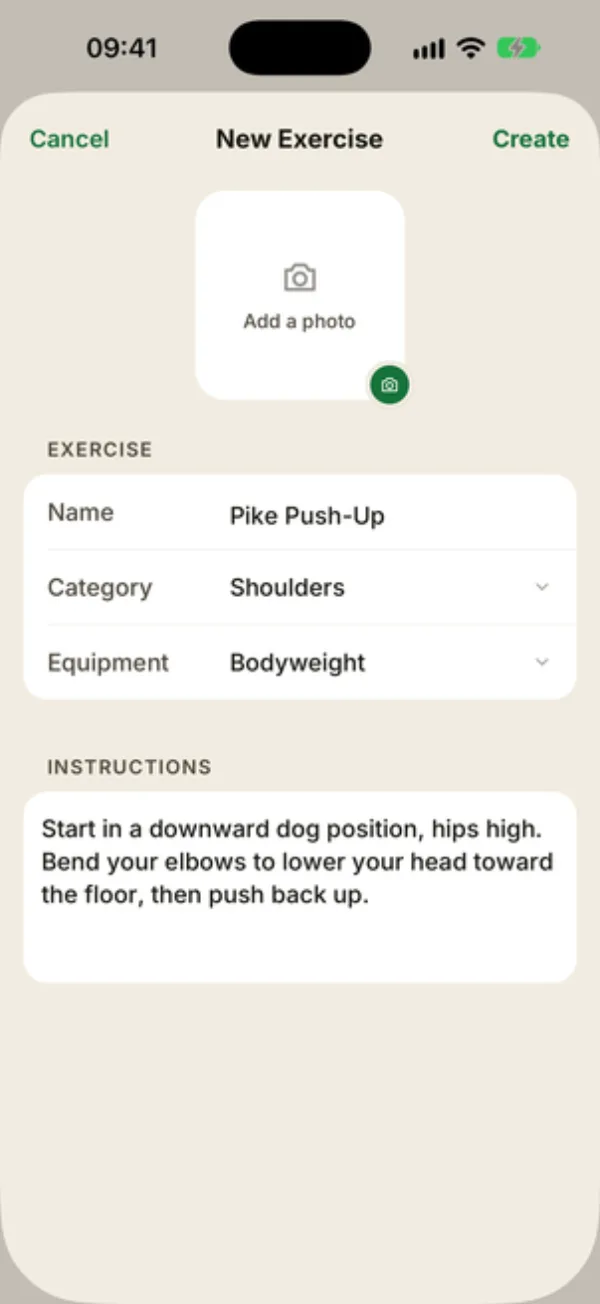
In the Exercises tab, tap the green + button at the top right. The New exercise sheet opens:
- Add a photo: an image from your photo library, cropped square. Optional.
- Name: the only required field. Create stays grayed out until you fill it in.
- Category: the muscle group, Abdominals by default.
- Equipment: None by default.
- Instructions: your coaching cues, as free text.
Create it
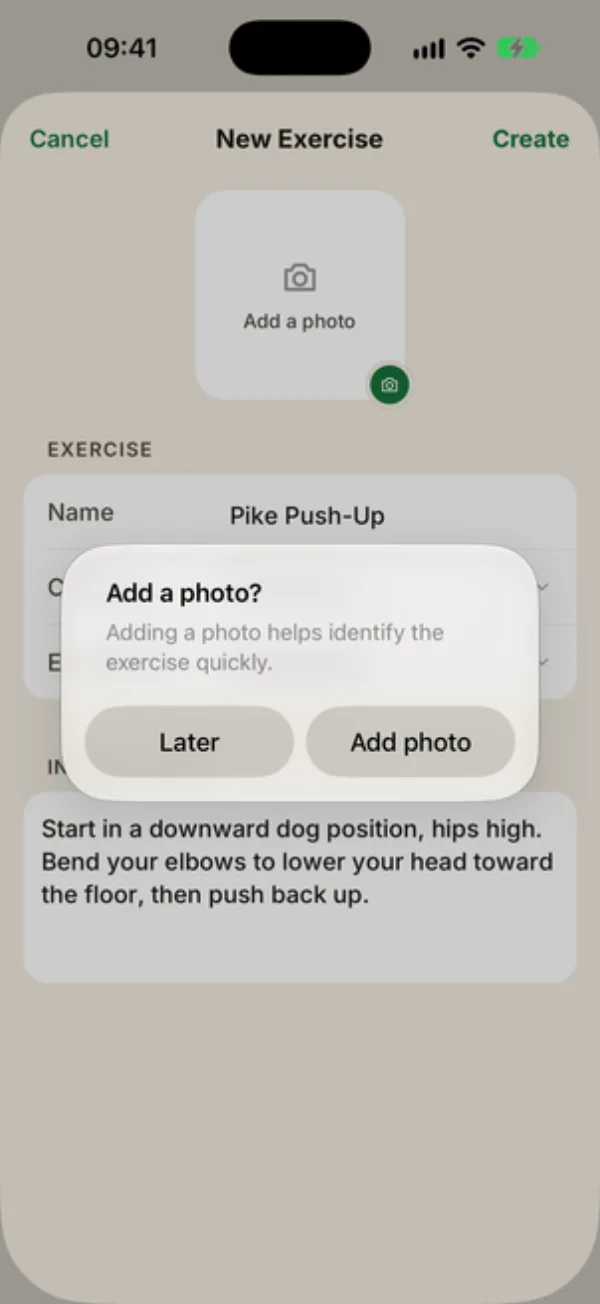
Tap Create. If you didn’t add a photo, Coachigo asks “Add a photo?”:
- Later saves the exercise without one;
- Add photo opens your photo library. Once you’ve picked a photo, tap Create again.
Find it in the list
The exercise shows up under its muscle group with a Custom pill, and it’s added to your favorites automatically. It’s also available from Add exercise in your sessions and templates.
No need to give it a type: weight, bodyweight or time is set right in the session, exercise by exercise. See how to time an exercise.
Edit or delete it
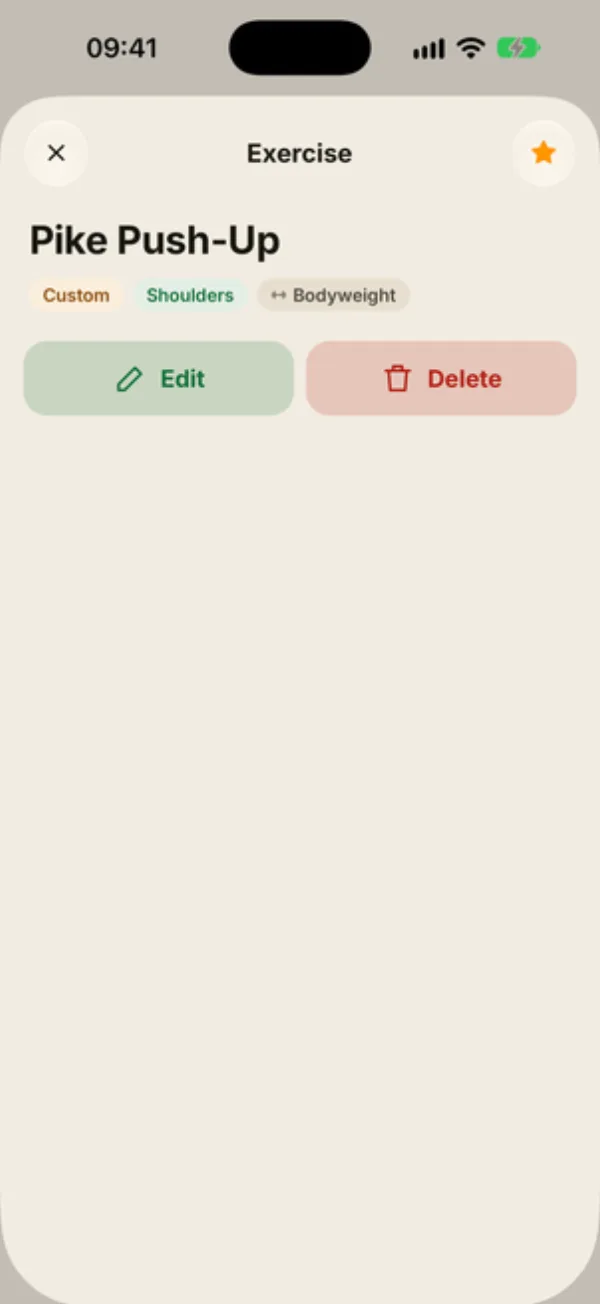
Open the exercise. Its sheet shows the Custom, muscle group and equipment pills, and Edit and Delete buttons that only you, as the author, can see. Library exercises can’t be edited.
Edit reopens the form with a Save button. You can swap the photo or change the category, equipment or instructions.
Confirm the deletion
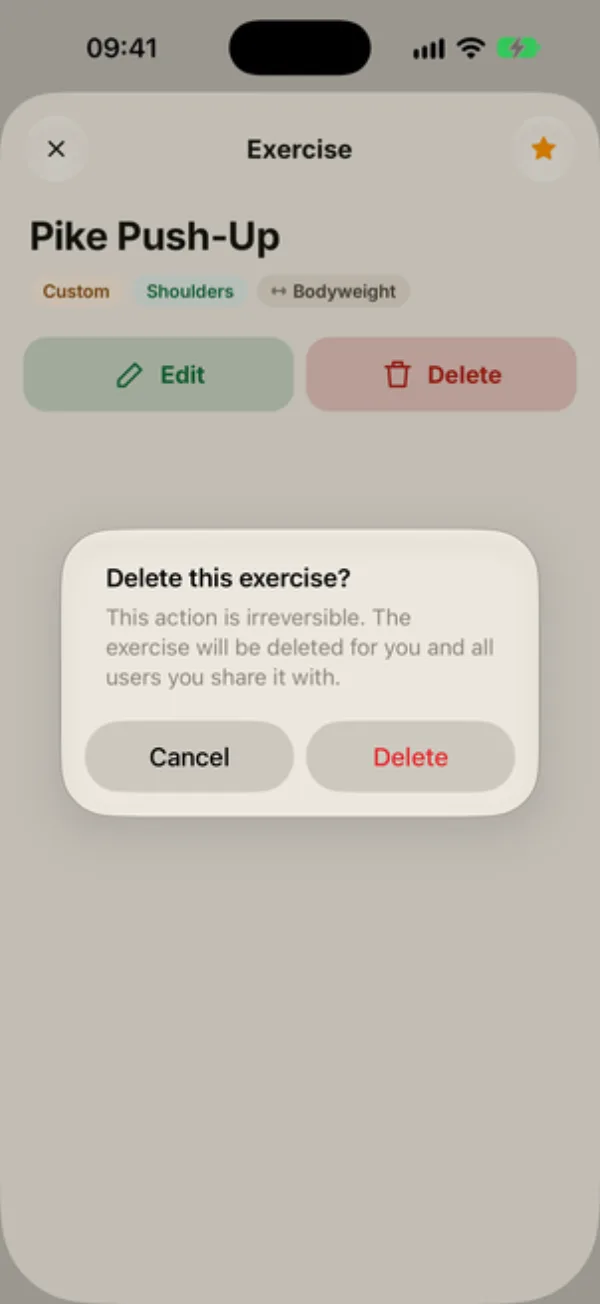
Delete asks you to confirm: “This action is irreversible. The exercise will be deleted for you and all users you share it with.”
Past sessions keep the exercise, with its name and sets.
Shared with your clients
Your custom exercises are visible to the people you share a profile with, and they land in their favorites. They can use them but not edit them. It works both ways: you see the exercises your clients create.
FAQ
Can I create an exercise from a session?
No. Create it in the Exercises tab first, and it’ll show up in Add exercise.
Can I list the target muscles?
Only the muscle group, through Category. A custom exercise’s sheet has no Target muscles section.
Can I take the photo with the camera?
Not from the form. Snap it first, then pick it from your photo library.