 Coachigo
Getting started
How to switch between Solo and Coach mode in Coachigo
Turn Coach mode on or off from the Account tab: what changes on screen, what stays the same and why your data is never touched.
Coachigo has two modes. Coach mode is built for tracking several clients. Solo mode fits your own training, or the case where you’re a coach’s client yourself. You pick one on first launch and can flip between them anytime with a single toggle.
Your choice on first launch
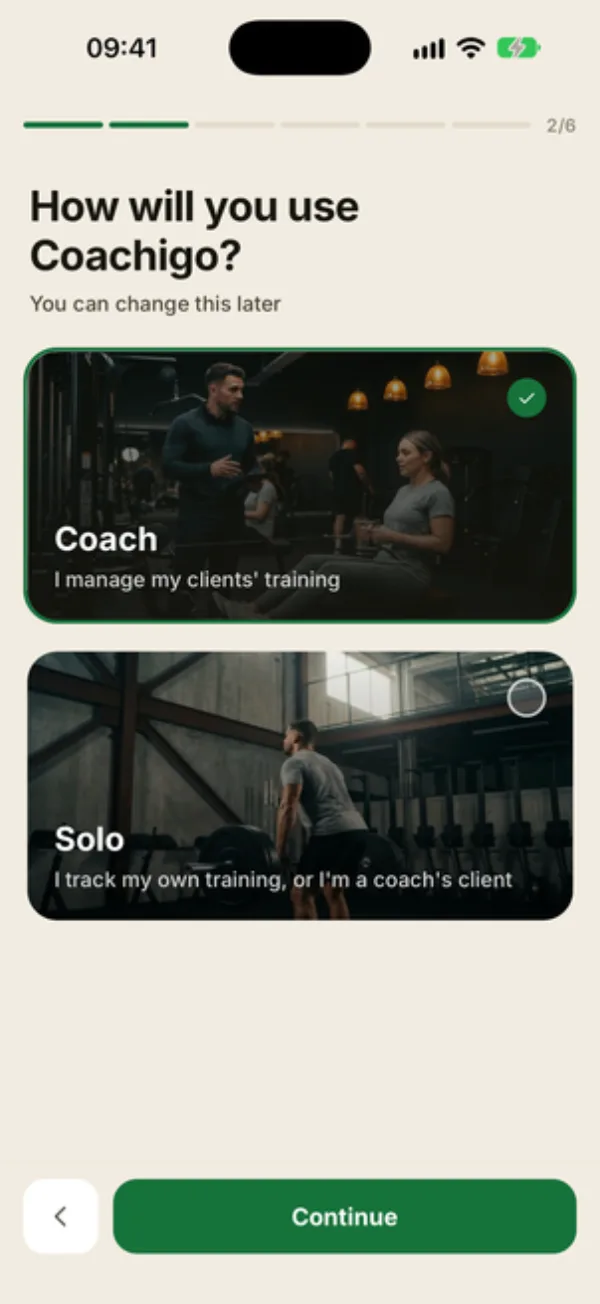
During the welcome screens, Coachigo asks How will you use Coachigo? with two cards, Coach and Solo. That choice only sets up how the app looks to start with.
Switch modes
- Tap the Account tab.
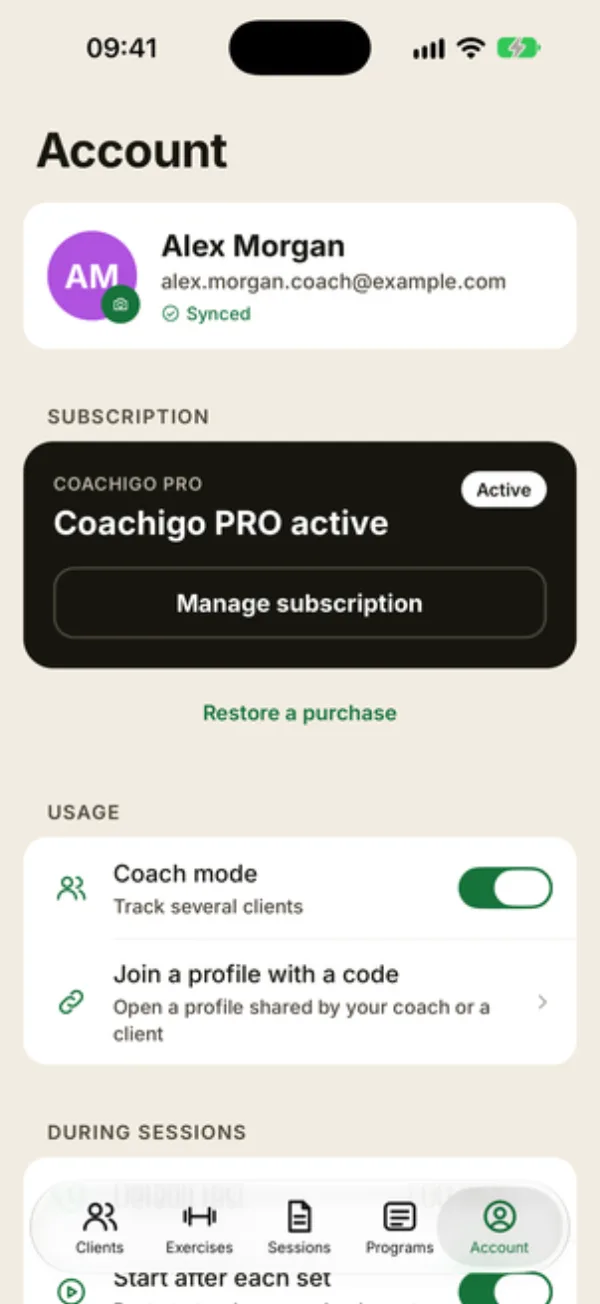
- Under USAGE, find the Coach mode row.
- Turn the toggle on for Coach mode, or off to go back to Solo.
The line under the setting tells you which mode you’re in: Track several clients when it’s on, Personal use when it’s off. You won’t see the word “Solo” in settings: Coach mode off simply means Solo.
The switch takes effect immediately, with no confirmation, and you can change back whenever you like.
What changes
- The first tab: Home in Solo mode becomes Clients in Coach mode. On a computer, the sidebar follows suit and adds a Dashboard item.
- Your home screen: in Coach mode you land on your client list, with shortcuts at the top to the dashboard (once you have a client), the agenda and the + button. In Solo mode, home goes straight to tracking your profile.
- Wording: the app talks about “clients” in Coach mode and “profiles” in Solo mode, for example in the Account tab, where Export clients and sessions becomes Export profiles and sessions.
What stays the same
- Your data: no profile, session or program is deleted or moved. Switch back and everything is right where you left it.
- Your plan: the mode doesn’t unlock anything and doesn’t require a subscription. Without Coachigo PRO, you can create one client or profile in either mode. See Free or PRO.
- Your other devices: the setting is saved to your account, so it also applies on your other signed-in devices and on a computer.
Which mode is right for you?
You train other people: Coach mode. You train on your own, or you follow the sessions your coach shares with you: Solo mode.
FAQ
I’m a coach’s client. Which mode should I use?
Solo mode. To open the profile your coach set up for you, tap Join a profile with a code under USAGE, right below Coach mode.
Do I lose anything when I switch?
No. Only the layout changes. Your data stays exactly the same.
I’m a coach and I want to track my own workouts too.
Stay in Coach mode and add yourself as if you were a client. Your profile counts as a client toward the free plan’s limit.