 Coachigo
Your clients
How to find an old session in Coachigo
Full history, search, template filters, sort order and calendar: every way to track down a client's past session in Coachigo.
A client profile only shows their 4 latest sessions. To dig further back, Coachigo gives you the full history, with search and filters, plus a calendar to find a session by date.
The full history
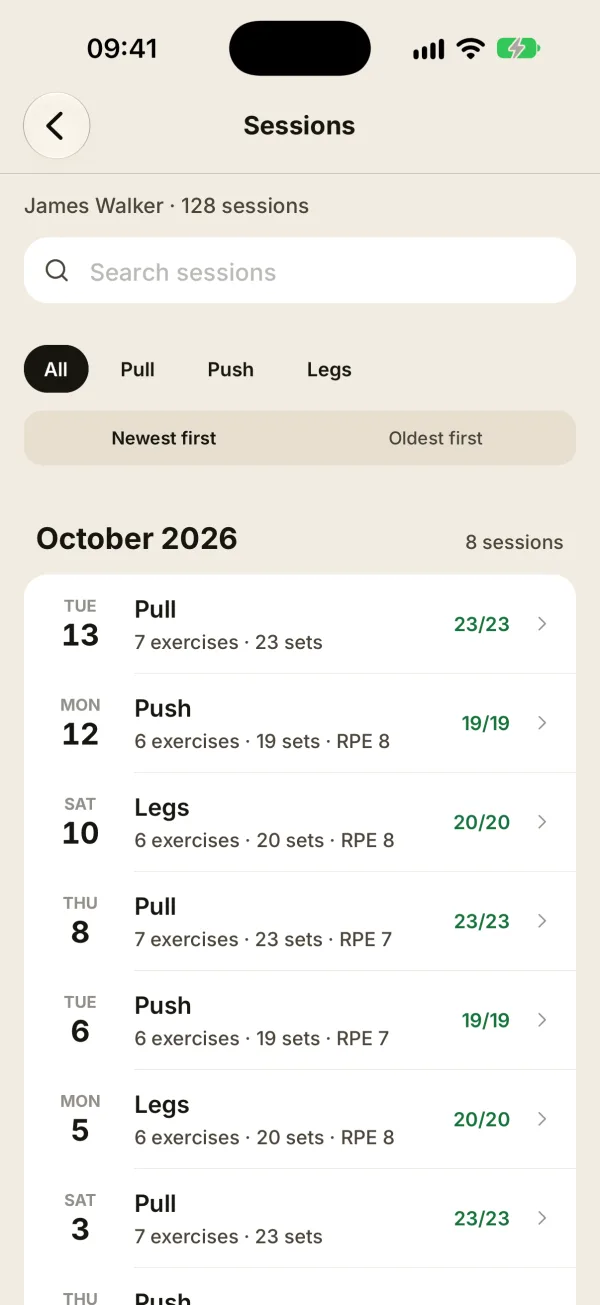
On the client’s profile, tap See all next to Recent sessions. The Sessions screen lists their entire history, grouped by month.
- Search sessions: type a word from the session name (“Push”, “Freestyle”) or its notes. Search ignores accents.
- Filters: All, then one chip per workout template used (plus Freestyle), most frequent first.
- Sort: Newest first or Oldest first.
Tap a session to open its summary.
Find a session by date
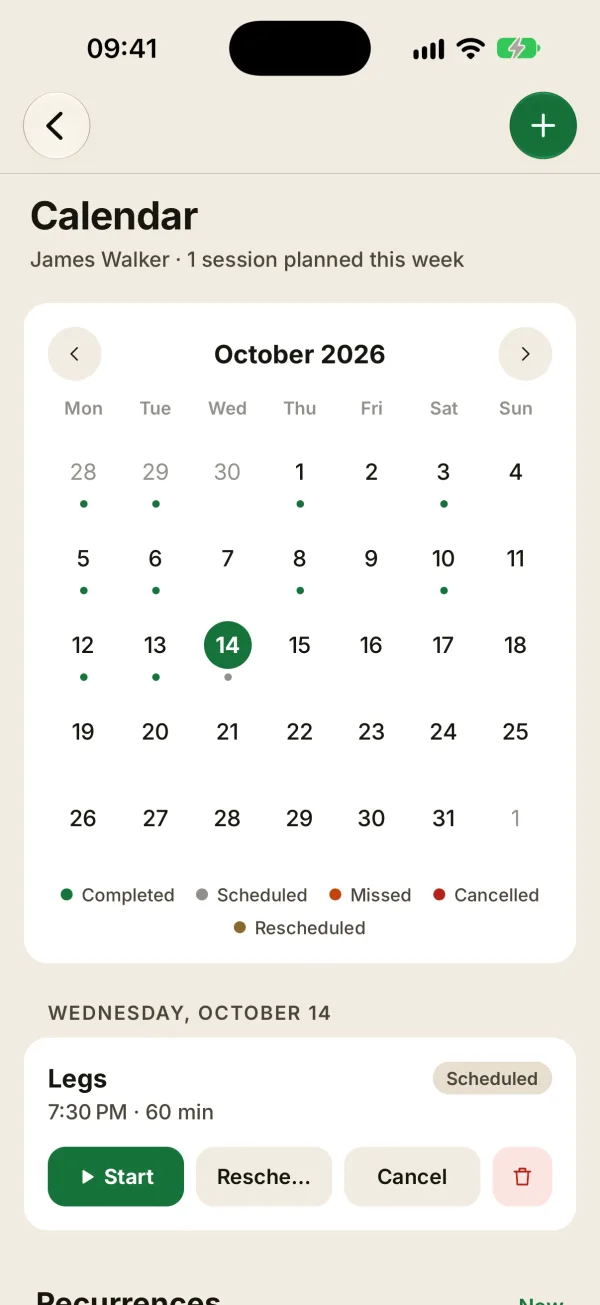
On the profile, tap Calendar and recurrences. The month view shows a dot under every day with a session: green for a completed session, other colors for scheduled, missed, canceled or rescheduled ones.
Tap a day to see its sessions, then tap a completed one to open its summary. The arrows switch months.
Tracking one exercise over time
To look back at a client’s performance on one specific exercise, open its stats instead: the chart button next to the exercise in a session summary, or a row in Key points on their profile. You’ll find their record, progression chart and top sets.
FAQ
Does search find exercises?
No, it only searches session names and notes. For an exercise, go through its stats.
I don’t see the template filters
They only show up when the client has done at least two different kinds of sessions, like two templates, or a template plus freestyle sessions.
Do deleted sessions still show up?
No. A deleted session disappears from the history, the calendar and the stats.